RCS Campaign
-
Overview:
An RCS campaign elevates messaging by blending traditional SMS reliability with rich media and interactive elements. Through RCS, businesses can send visually engaging content—images, carousels, and quick-action buttons—while gaining real-time delivery and read receipts. This next-generation channel deepens customer engagement and boosts conversion rates.
-
Key Features
- Rich Media Support: Embed high-resolution images, GIFs, audio clips, and videos directly in messages for a more immersive experience.
- Interactive Controls: Add tappable buttons (e.g., “Buy Now,” “View Offer”), links, and quick replies to guide user actions.
- Real-Time Feedback: Leverage delivery confirmations, typing indicators, and read receipts to track engagement instantly.
- Dynamic Personalization: Use customer data (name, last purchase, preferences) to tailor each message for higher relevance.
- Chatbot Integration: Combine RCS with AI-driven chatbots to automate conversational flows and provide 24/7 support.
-
Use Cases
- Retail Promotions: Showcase new arrivals via a carousel of product cards, complete with “Add to Cart” buttons.
- Travel Notifications: Deliver boarding passes, itinerary changes, or gate updates with rich attachments and real-time alerts.
- Banking Alerts: Send transaction confirmations or fraud alerts, each with buttons for “Authorize” or “Speak to Agent.”
- Healthcare Reminders: Offer appointment scheduling and prescription refill links, with read receipts confirming patient acknowledgment.
-
1. Configuring an RCS Channel
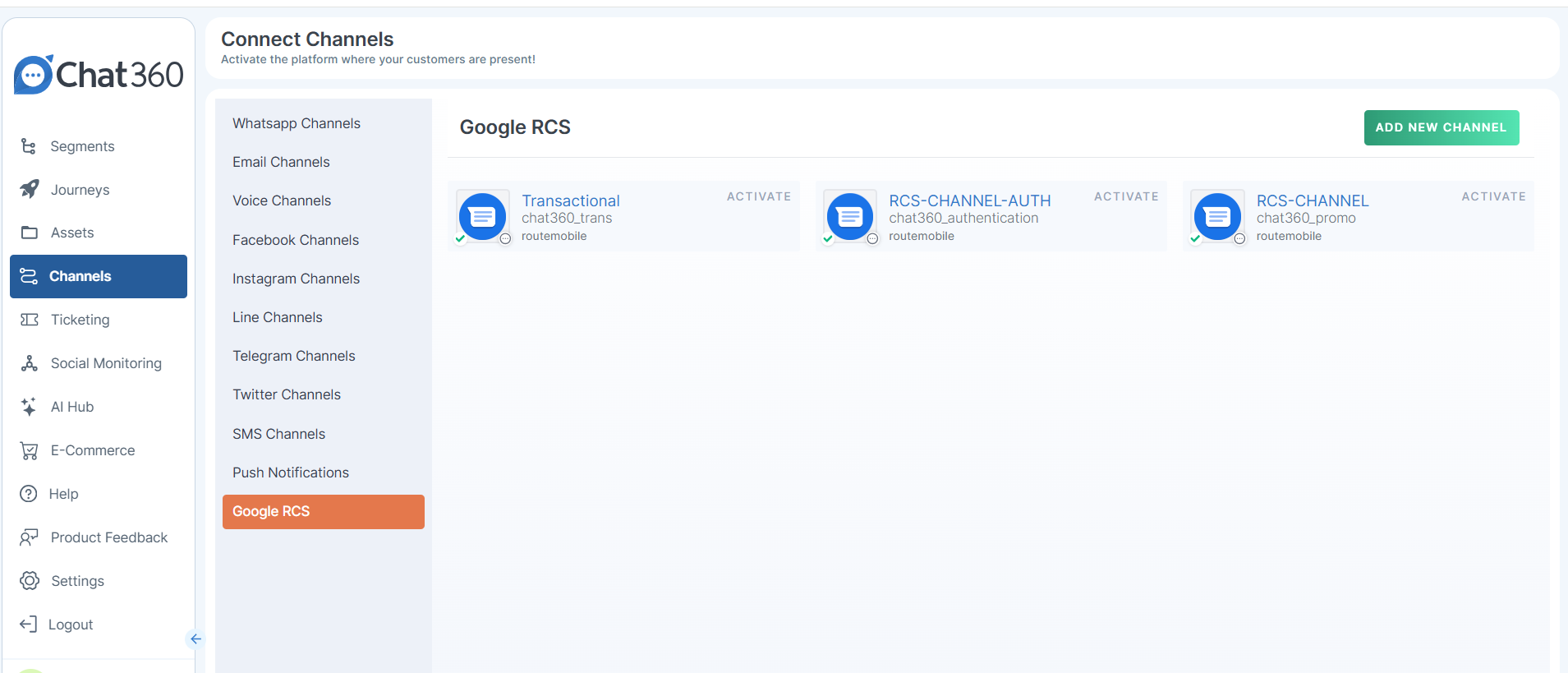
- Go to Channels → Google RCS and click Add Channel.
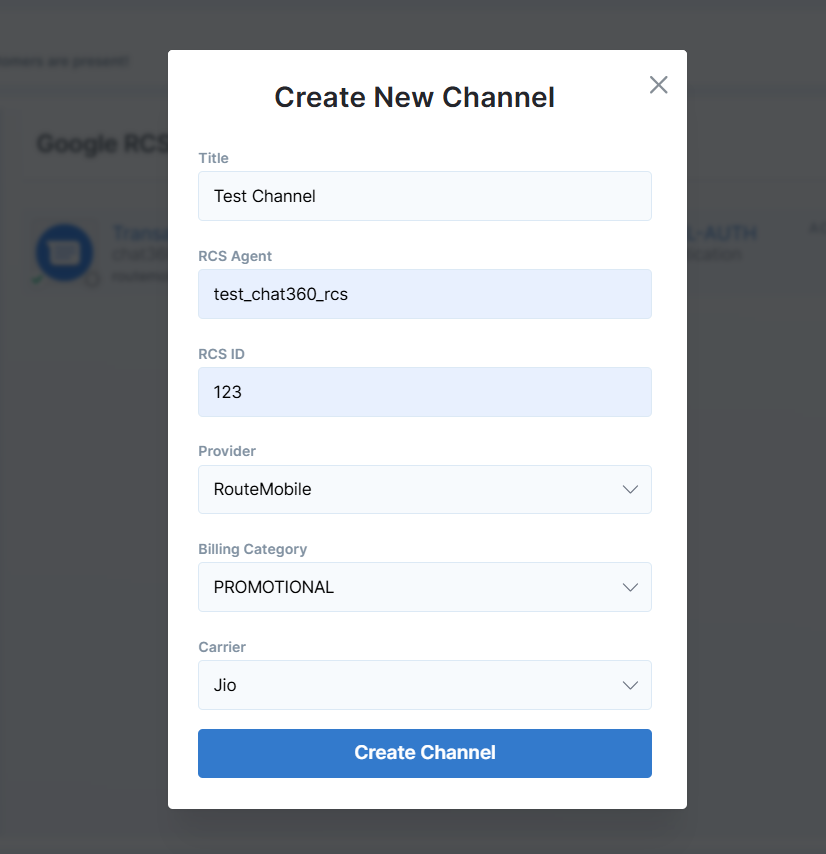
- Enter Channel Details:
- Title: A descriptive name for easy identification.
- RCS Agent & ID: Provide your agent details and RCS identifier.
- Provider: Choose between RouteMobile or Google RCS.
- Select Billing Category:
- Authentication, Promotional, or Transaction (choose per campaign objective).
- Specify Carriers: Select one or more carriers (e.g., Vodafone, Airtel, BSNL, Jio).
- Create Channel: Review entries, then click Create Channel to finalize.
-
Navigate to RCS Setup:
-
2. Building an RCS Template
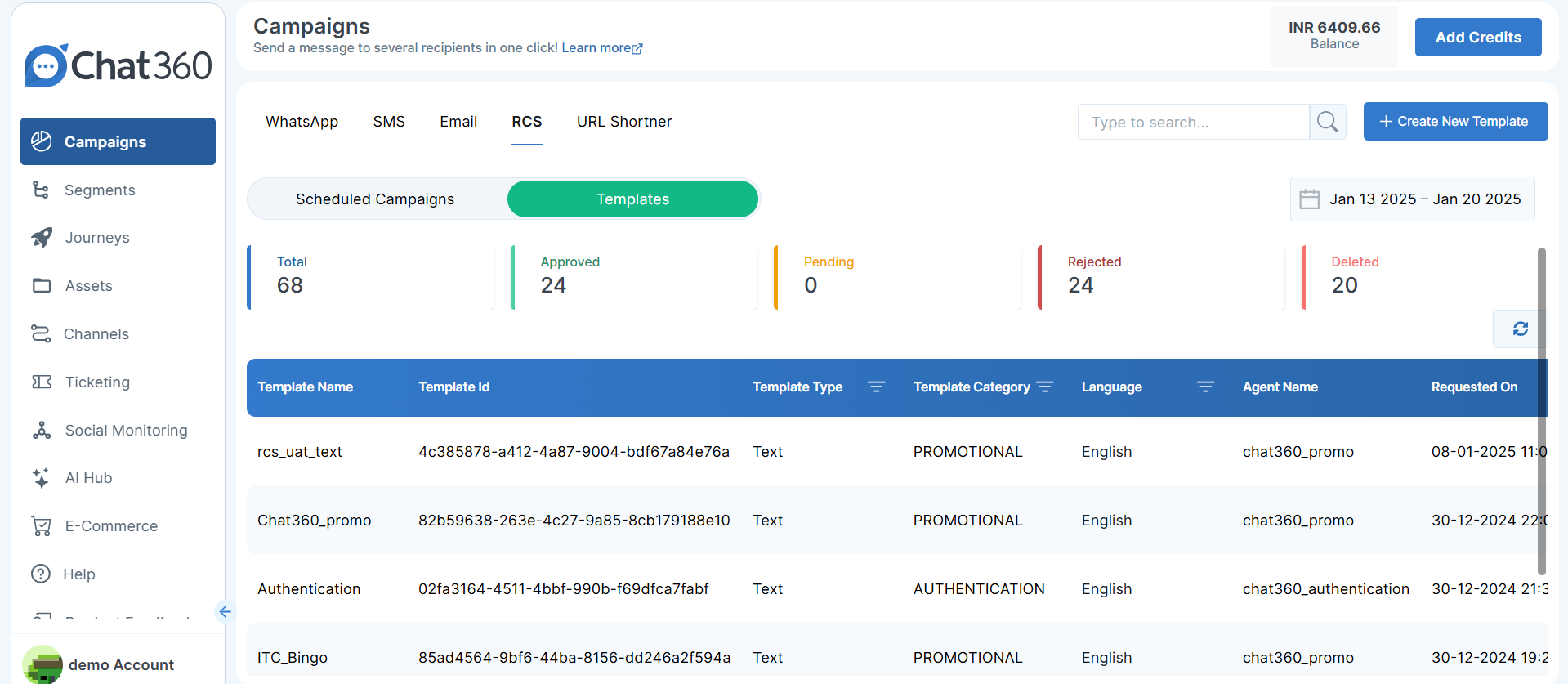
- Access Templates: Go to Campaign → RCS → Create New Template.
- Define Basic Info:
- Title: Name your template for easy reference.
- Template Type: Choose Text, Rich Card, or Carousel.
- Assign Channel & Category:
- Select the configured RCS channel.
- Choose a Category: Promotional, Marketing, or Authentication.
- Compose Message Content: Enter the primary text or card descriptions.
- Add Suggestions: Provide interactive options such as:
- Reply: Predefined text responses.
- URL: Links to web pages.
- Phone: One-tap dialing.
- Location: Share or view coordinates.
- Calendar Event: Insert event details into the user’s calendar.
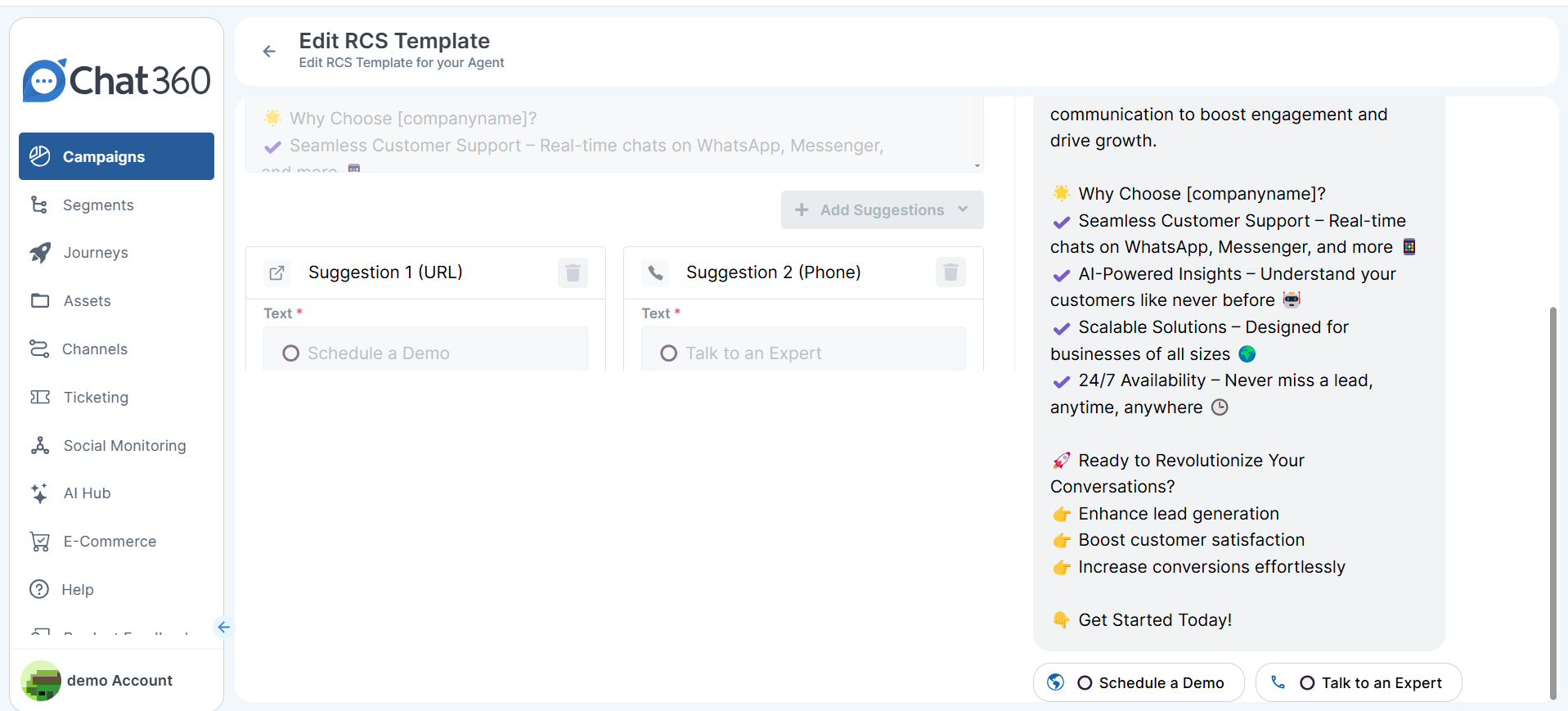
Once your channel and template are live, simply launch an RCS campaign by selecting the template, mapping to recipient lists, and scheduling delivery—empowering you to deliver modern, conversational messaging at scale.
-
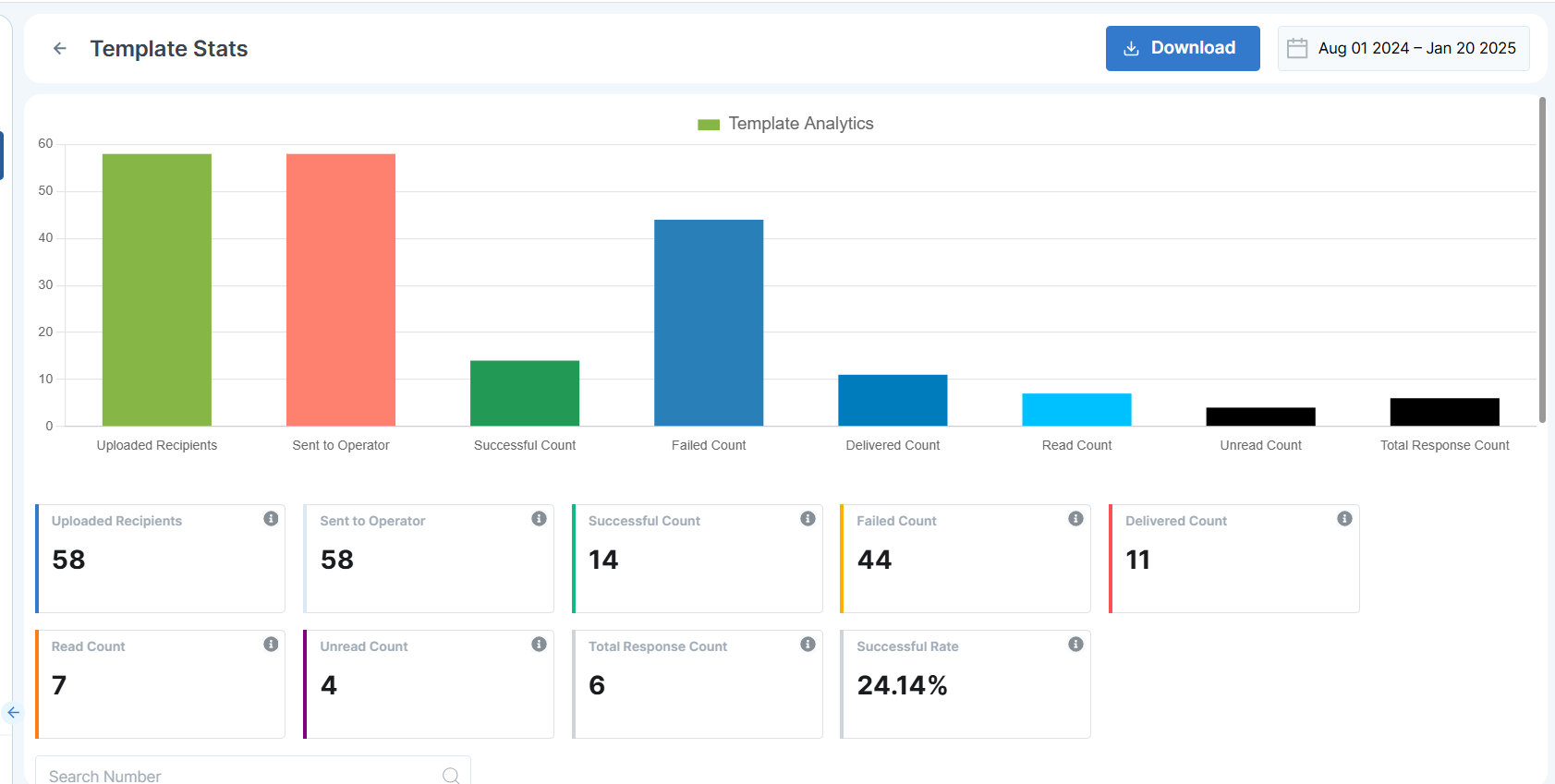
RCS Template Analytics
Overview:
-
Metrics Tracked:
- Uploaded Recipients: Number of contacts you uploaded for this template send.
- Sent to Operator: Count of messages handed off to the RCS operator for processing.
- Successful Count: Messages accepted by the operator without errors.
- Failed Count: Messages that encountered errors before delivery.
- Delivered Count: Messages that reached the recipient’s device.
- Read Count: Delivered messages that the recipient has opened.
- Unread Count: Delivered messages that remain unopened.
- Total Response Count: Number of recipient replies received.
- Success Rate: (Successful Count ÷ Sent to Operator) × 100 — measures overall delivery efficiency.
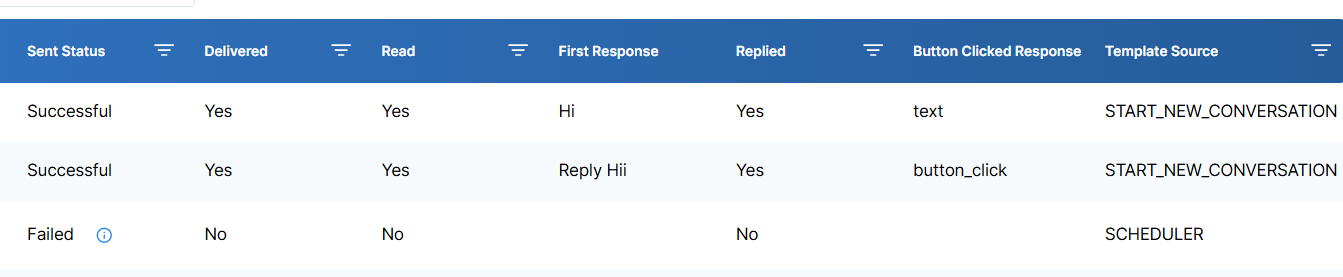
RCS Template Analytics gives you visibility into how your rich-media messaging templates perform. By tracking key delivery and engagement metrics, you can fine-tune your content and targeting for maximum impact.
-
RCS Scheduled Campaign Analytics
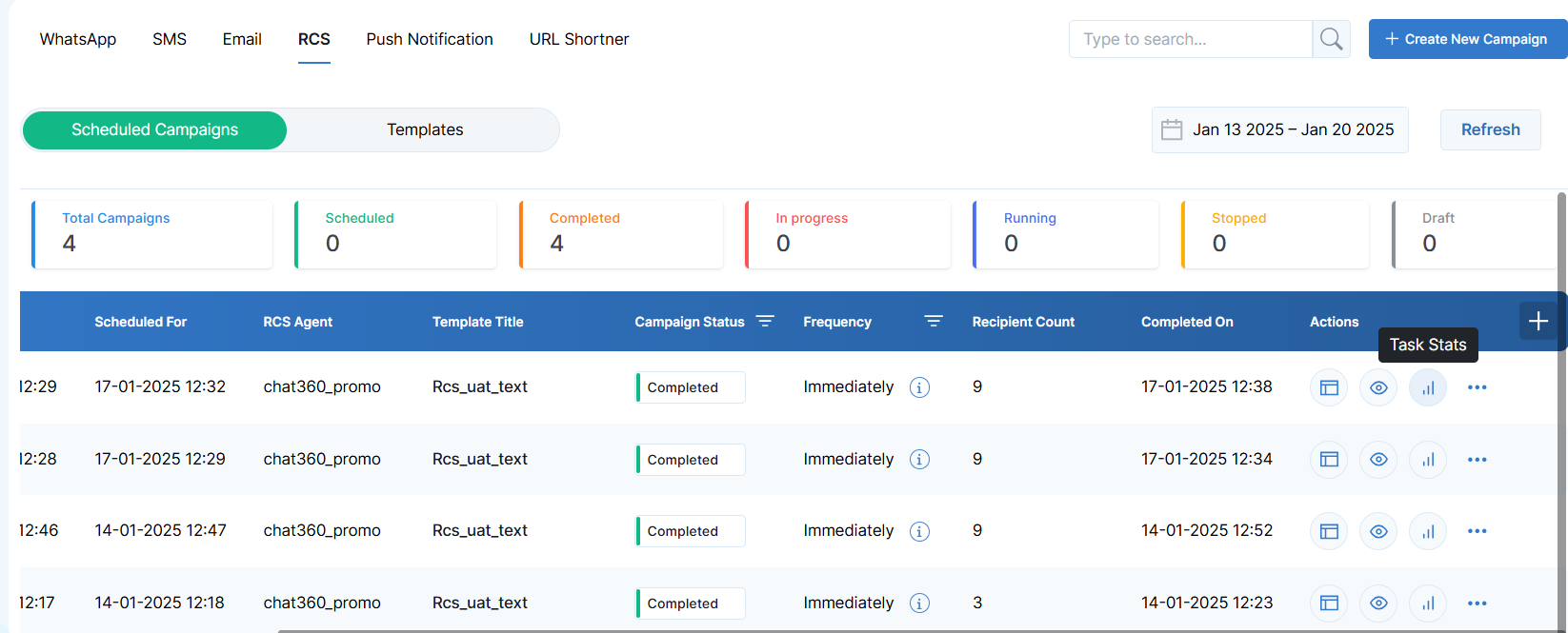
- Navigate to Campaigns and locate your RCS campaign.
- Click the Actions button next to the campaign.
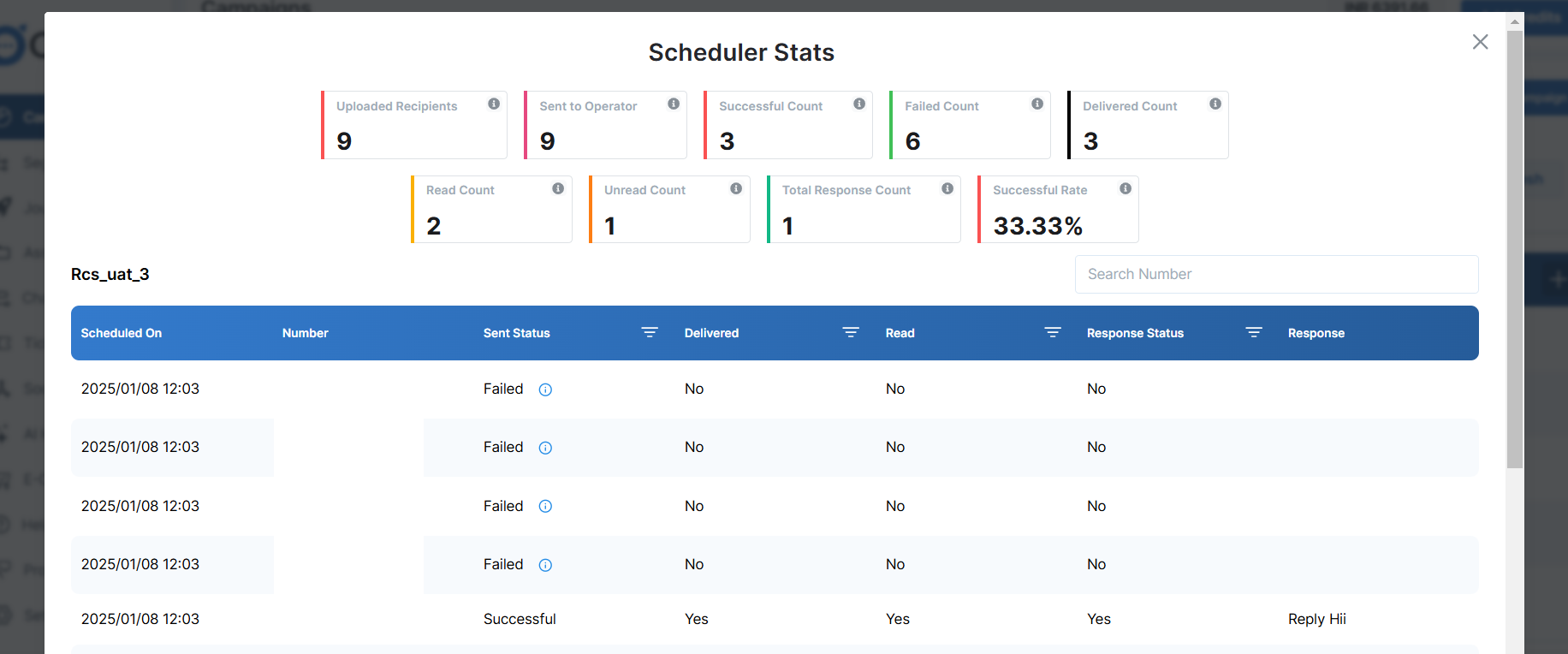
- Select View Stats to open the analytics panel.
-
How to Access:
-
Insights Provided:
- Delivery Breakdown: See sent, successful, failed, and delivered counts side-by-side.
- Engagement Trends: Track read vs. unread volumes over time.
- Response Overview: Monitor when and how often recipients reply.
- Performance Summary: Check success rate and identify any deliverability issues at a glance.
Use these analytics to iterate on template design, adjust send times, or refine audience segments—ensuring your RCS campaigns drive engagement and ROI.