Facebook Leads Integration
-
Overview
-
Configuration Steps
- In Chat360, navigate to Integrations → Facebook Leads.
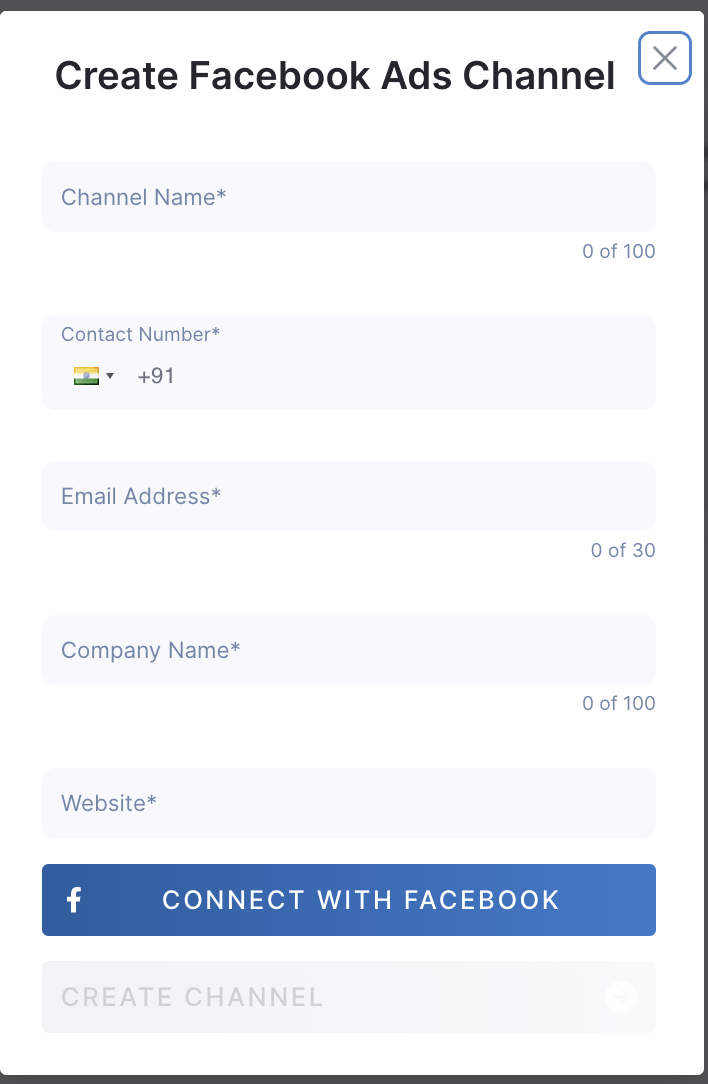
- Click Connect with Facebook and complete the OAuth flow to grant Chat360 access to your Business Manager.
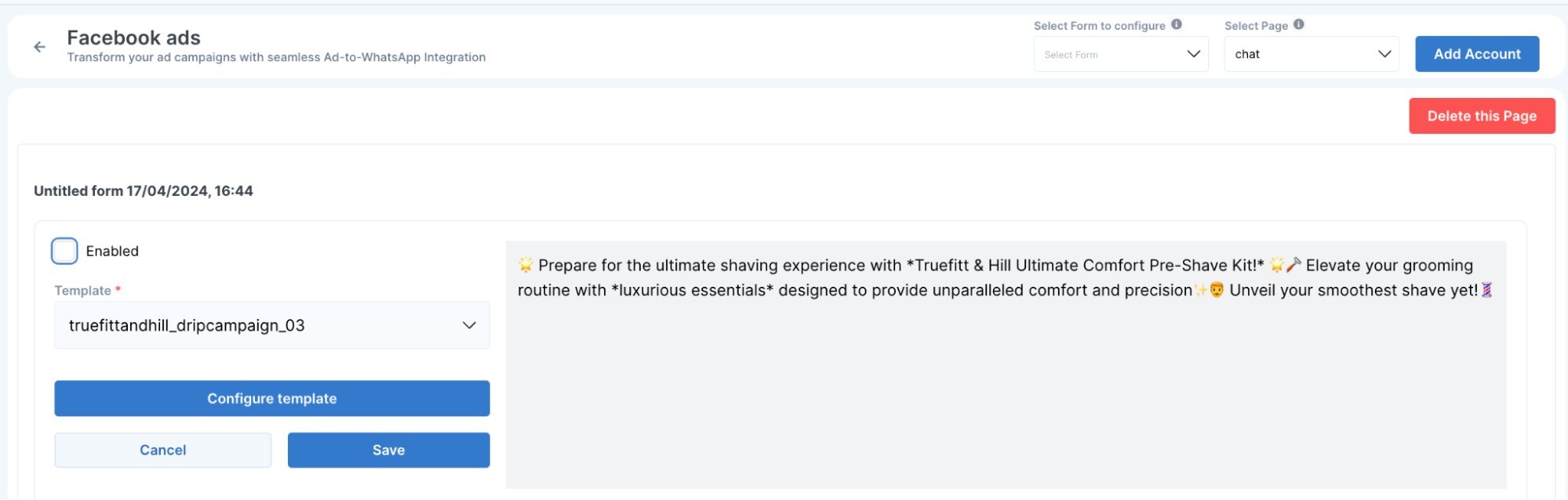
- Once connected, choose your Facebook Page from the dropdown.
- Select the associated Ad Form (lead-gen form) you wish to monitor.
- Click Configure Template.
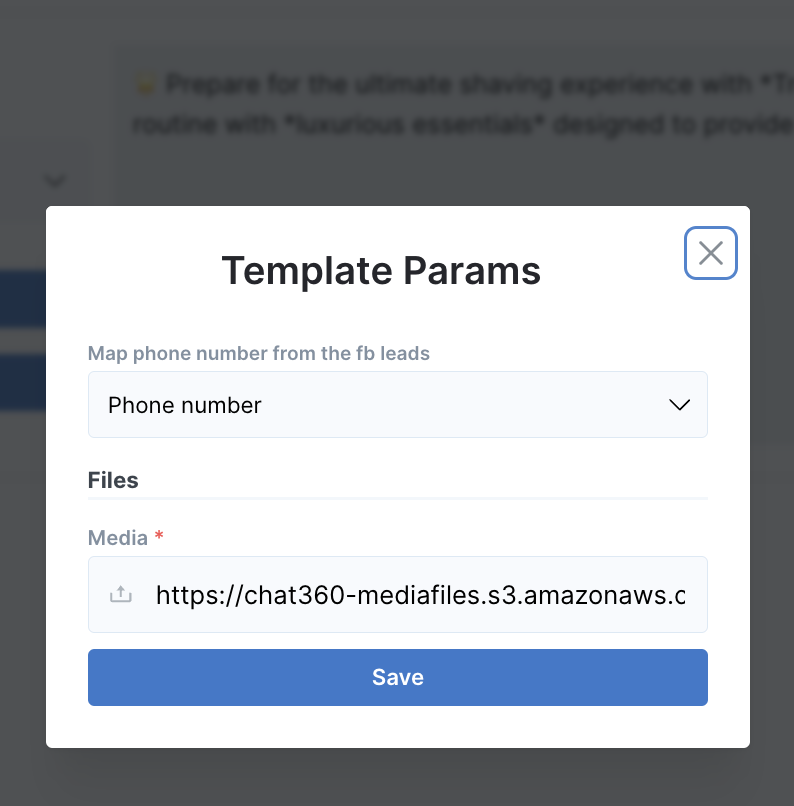
- Map lead fields to template parameters (e.g., Full Name → {{name}}, Phone Number → {{phone}}, Email → {{email}}).
- Attach media assets if required by your template.
- Save your mappings.
- Toggle Enable and Click Save to activate real-time triggering.
- In your Facebook Business Manager, go to Integrations → Lead Access → CRM.
- Ensure the Chat360 App is listed and authorized.
- If your page or form doesn’t appear, confirm you have Admin access to both the Facebook Page and Business account.
Transform your Facebook ad performance by connecting lead generation directly to WhatsApp. When a user submits a lead form on your Facebook ad, Chat360 immediately triggers a pre-configured WhatsApp template—starting real-time conversations, nurturing prospects, and accelerating conversions.
-
1. Connect with Facebook
2. Select Page & Form
3. Configure WhatsApp Template
4. Verify App & Permissions
Key Benefits
- Instant Lead Engagement: Automate the moment-of-interest outreach when a prospect submits a Facebook lead form.
- Seamless Channel Handoff: Move users from ad click to conversational WhatsApp flow without friction.
- Higher Conversion Rates: Personal, timely follow-up drives faster qualification and sales.
- Simplified Setup: One-time mapping of Facebook lead fields to a WhatsApp template—no additional coding required.
- Centralized Management: Monitor all Facebook-to-WhatsApp lead triggers and template usage from your Chat360 dashboard.
Use Cases
- Real-Estate Inquiries: Instantly reconnect with home-buying leads via WhatsApp to schedule property tours.
- Automotive Test-Drive Bookings: When a Facebook ad form is submitted, launch a WhatsApp bot flow to confirm dates and share dealership details.
- Educational Webinars: Automatically send course details and registration links on WhatsApp as soon as a student expresses interest via Facebook.
- Event Registrations: Confirm attendance, share event agendas, and answer FAQs in real time using a WhatsApp template triggered by Facebook form submissions.
- Financial Services Quotes: Deliver personalized insurance or loan quotes on WhatsApp immediately after a lead form is completed, improving trust and speed of response.
Thank you for your feedback!
We appreciate your feedback!