Social Monitoring- Google Reviews
Overview
Social Monitoring for Google Reviews lets businesses centralize and respond to customer feedback directly from the Chat360 platform. By connecting your Google account, you can track ratings and review sentiments across multiple locations, ensuring no customer voice is overlooked.
-
Configuration Steps:
- Navigate to Integrations > Google Reviews.
- Click Sign in with Google and grant access to your business profiles.
-
1. Connect Your Google Account:
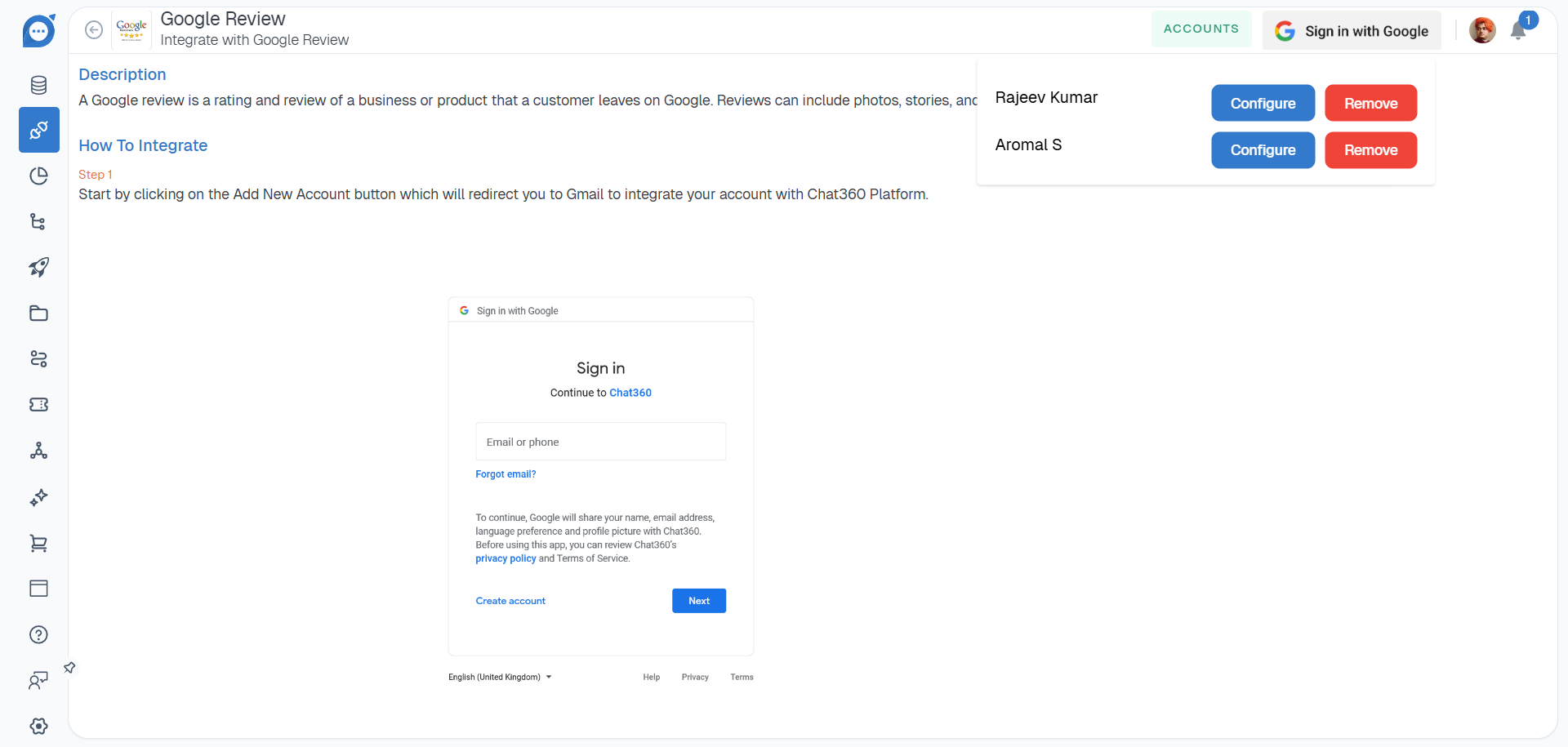
- After authentication, Chat360 fetches all linked Google Business profiles and their locations.
- Choose which profiles and locations to monitor.
-
2. Select Profiles & Locations:

- AI Reply: Enable to auto-generate responses for Positive, Neutral, and Negative reviews using AI-driven sentiment analysis.
- Static Reply: Disable AI Reply to define custom, fixed responses per sentiment category.
-
3. Choose Reply Mode:
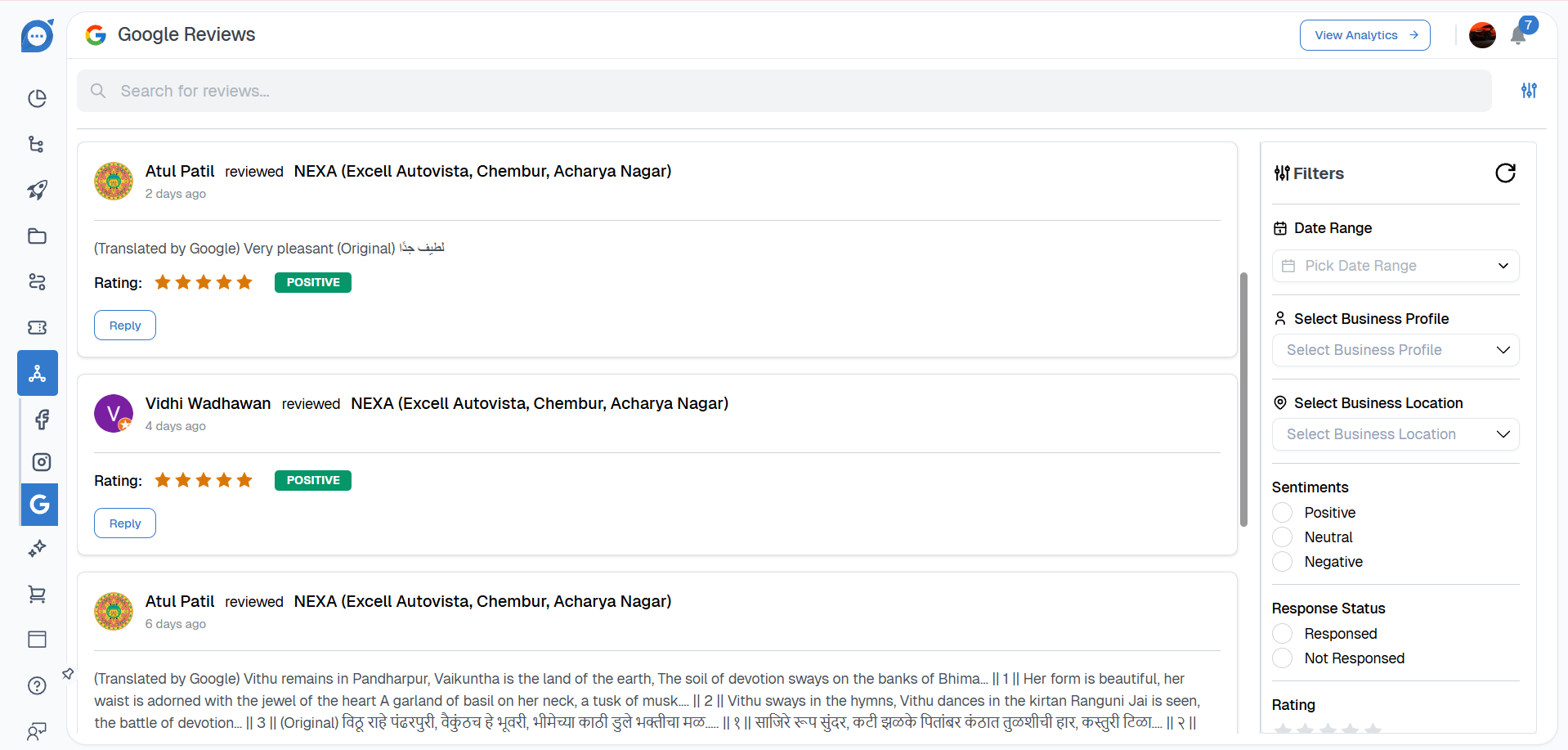
- Date Range: Focus on recent or historical reviews.
- Business Profile & Location: Drill down to specific branches.
- Sentiment: Filter by Positive, Neutral, or Negative feedback.
- Response Status: View Responded vs. Not Responded reviews.
- Sort by Rating: Prioritize low-star reviews for urgent attention.
-
4. Apply Filters:
-
Key Benefits:
- Unified Review Management Aggregate reviews from all Google Business listings in one pane.
- Sentiment-Based Prioritization: Quickly surface critical negative reviews or celebrate positive feedback.
- Automated & Custom Responses: Leverage AI for instant replies or craft bespoke messages as needed.
- Response Tracking: Ensure each review receives a timely response, strengthening customer trust.
- Location-Level Insights: Compare performance and reputation across different branches or regions.
-
Use Cases:
- Multi-Outlet Restaurants: Monitor and respond to reviews from each location to maintain consistent service quality.
- Retail Chains: Automatically thank customers for positive reviews and address complaints before they escalate.
- Hospitality Groups: Track guest feedback sentiment trends over time to guide training and operational improvements.
- Service Providers: Ensure no negative review goes unanswered by auto-flagging 1–2-star feedback for immediate follow-up.
- Regional Performance Analysis: Compare average ratings across locations to identify top-performing stores and underperformers.
By utilizing Social Monitoring – Google Reviews, organizations can proactively manage online reputation, accelerate response times, and gain deeper insights into customer satisfaction across all their business locations.
Thank you for your feedback!
We appreciate your feedback!