Setting Up Knowledge Base and Prompt
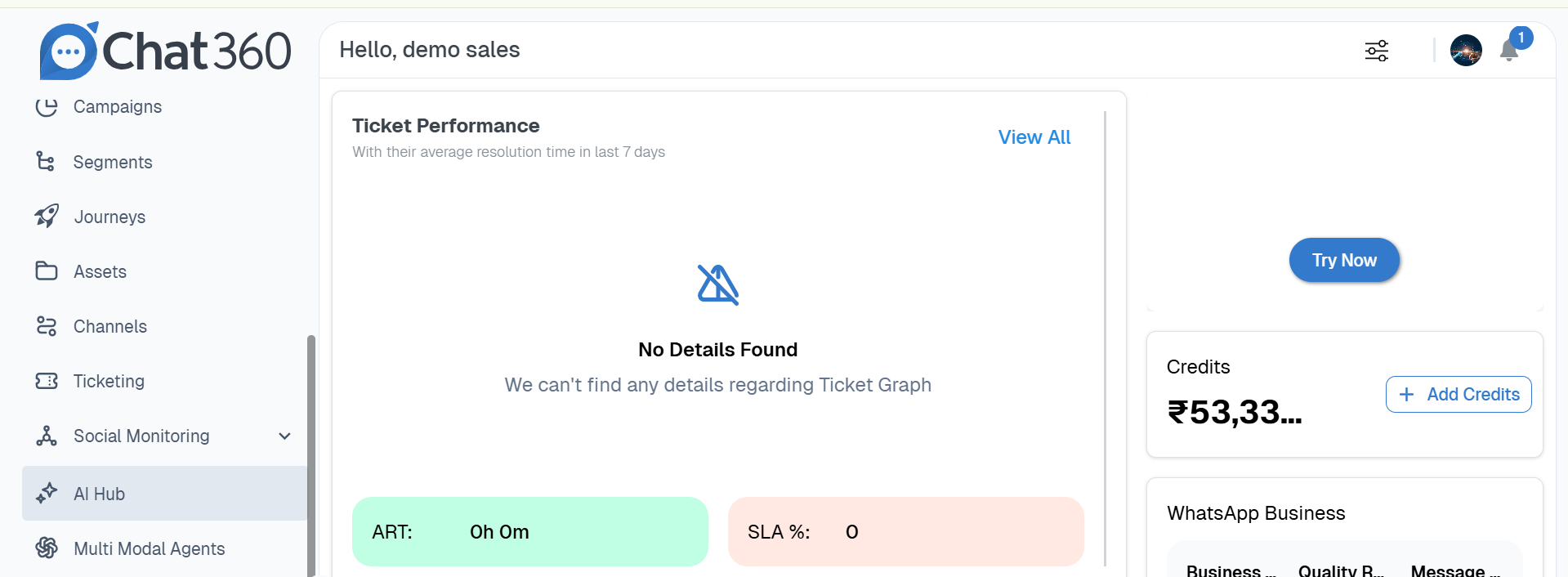
1. Go to AI Hub
- From the side panel, click on AI Hub
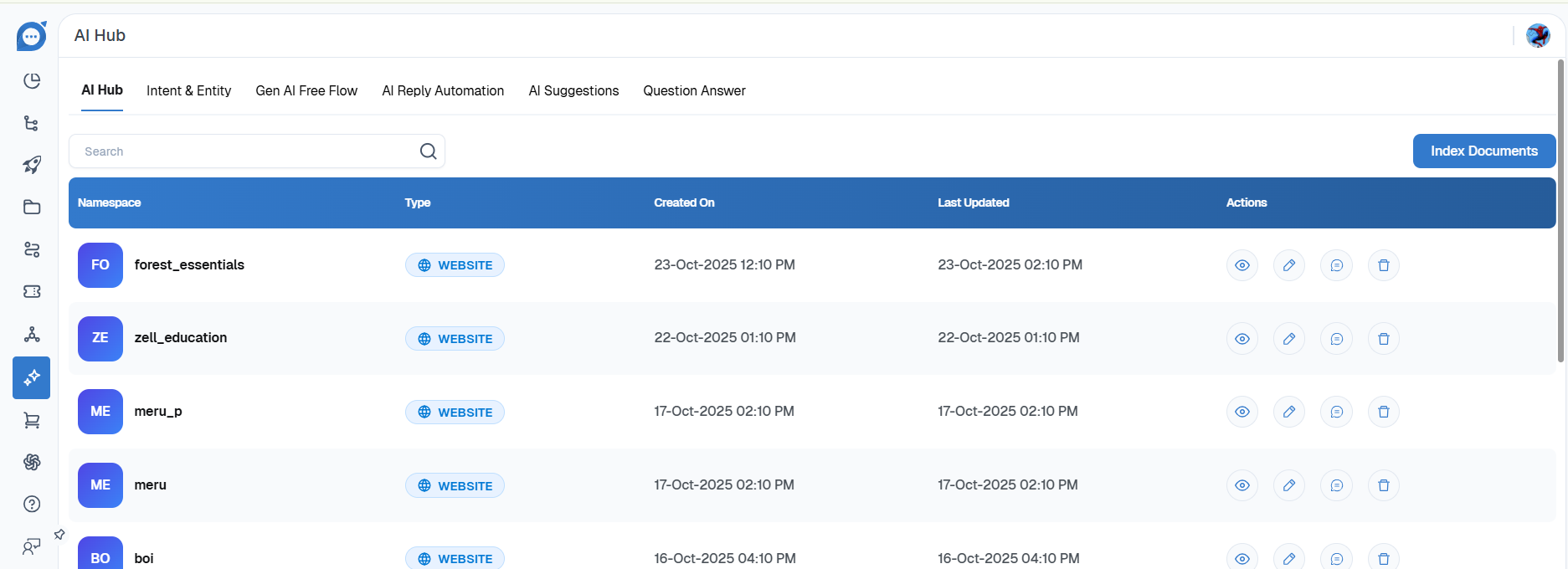
2. Click on Index Document
- Click the “Index Document” button at the top to begin uploading content.
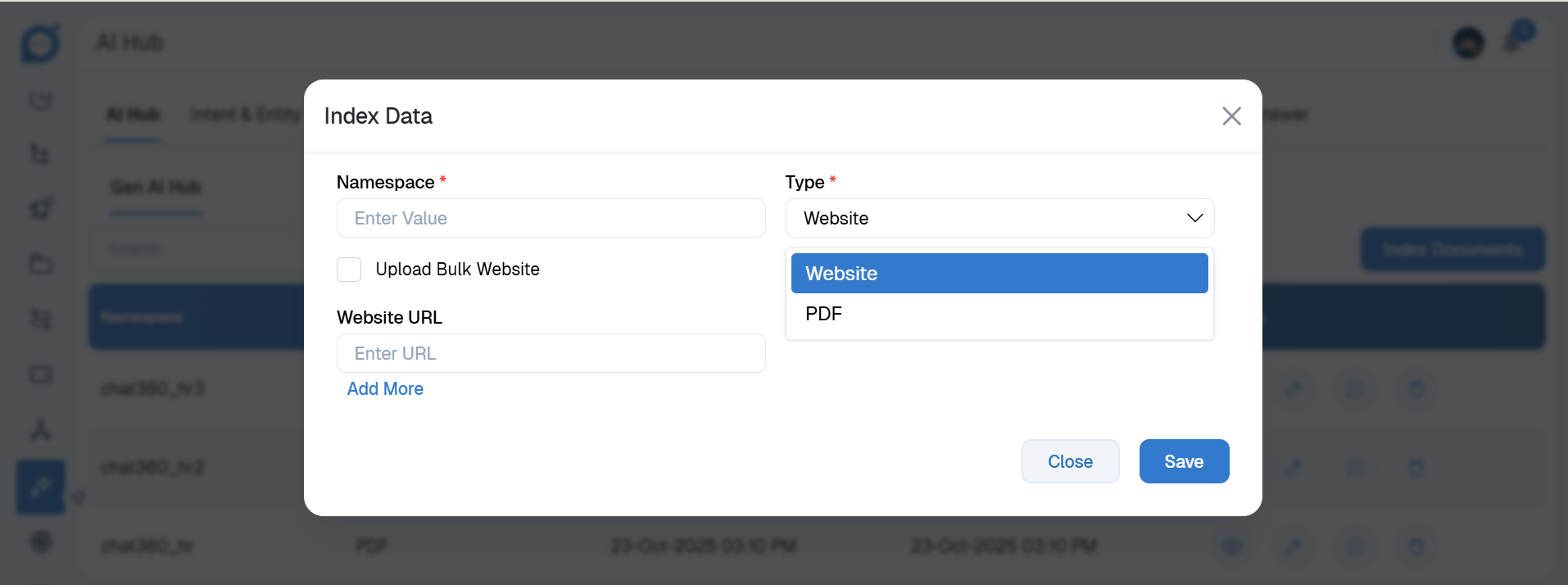
3. Upload Document
- Select the type of document and upload it to the system. This forms the knowledge base for AI prompts.
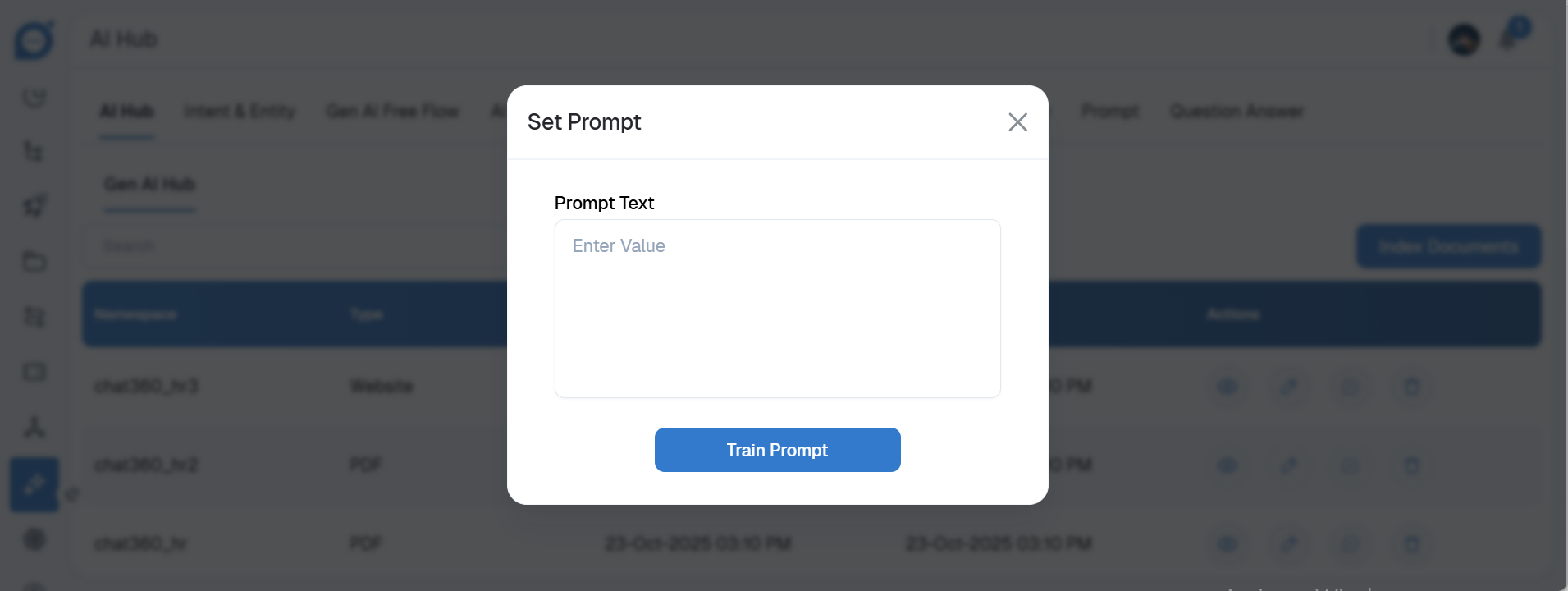
4. Edit Prompt
- After creating the document, click Edit to modify or customize the AI prompts associated with it.
Thank you for your feedback!
We appreciate your feedback!