Voicebot Data
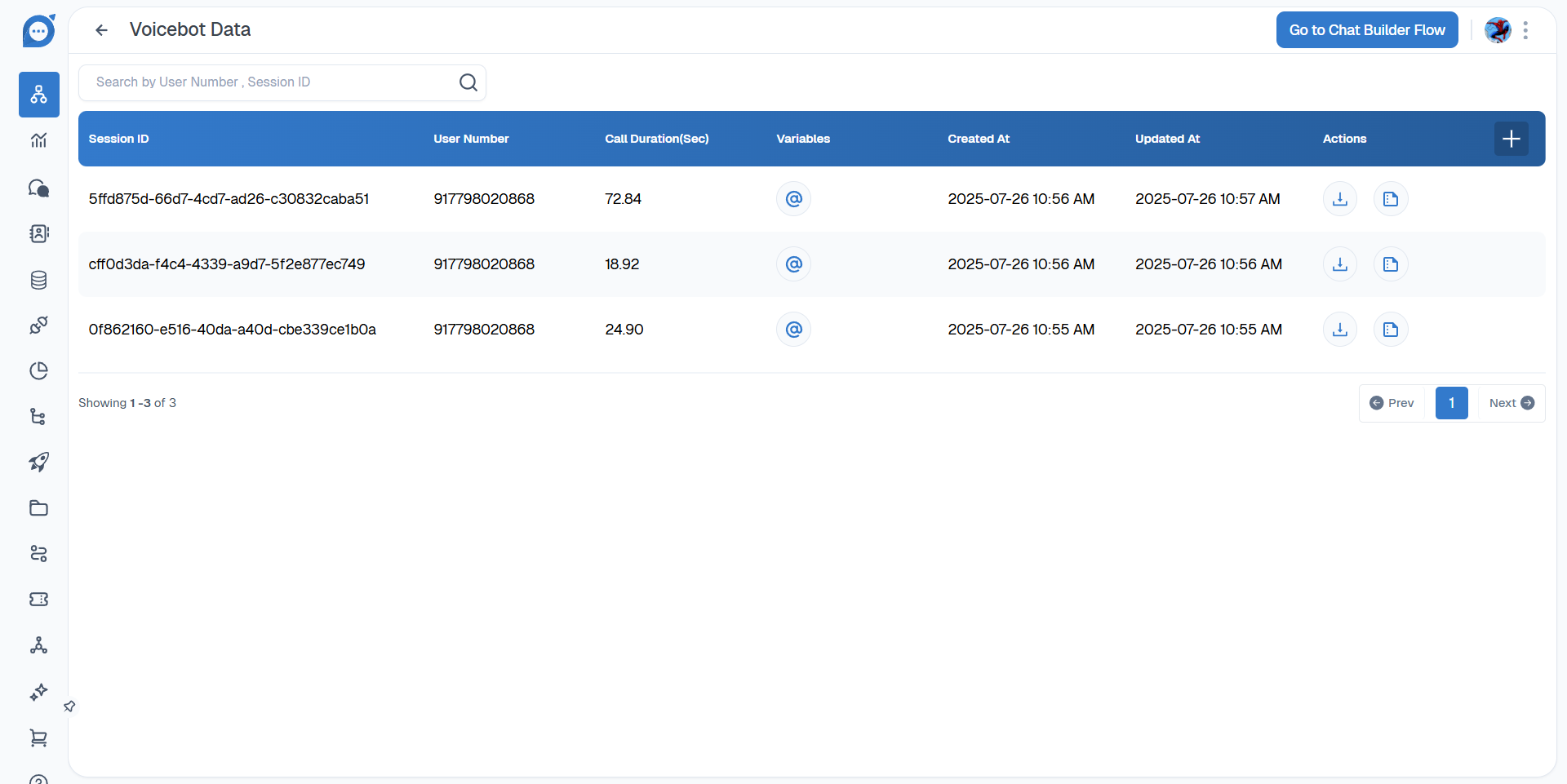
-
1. Viewing Call Transcripts
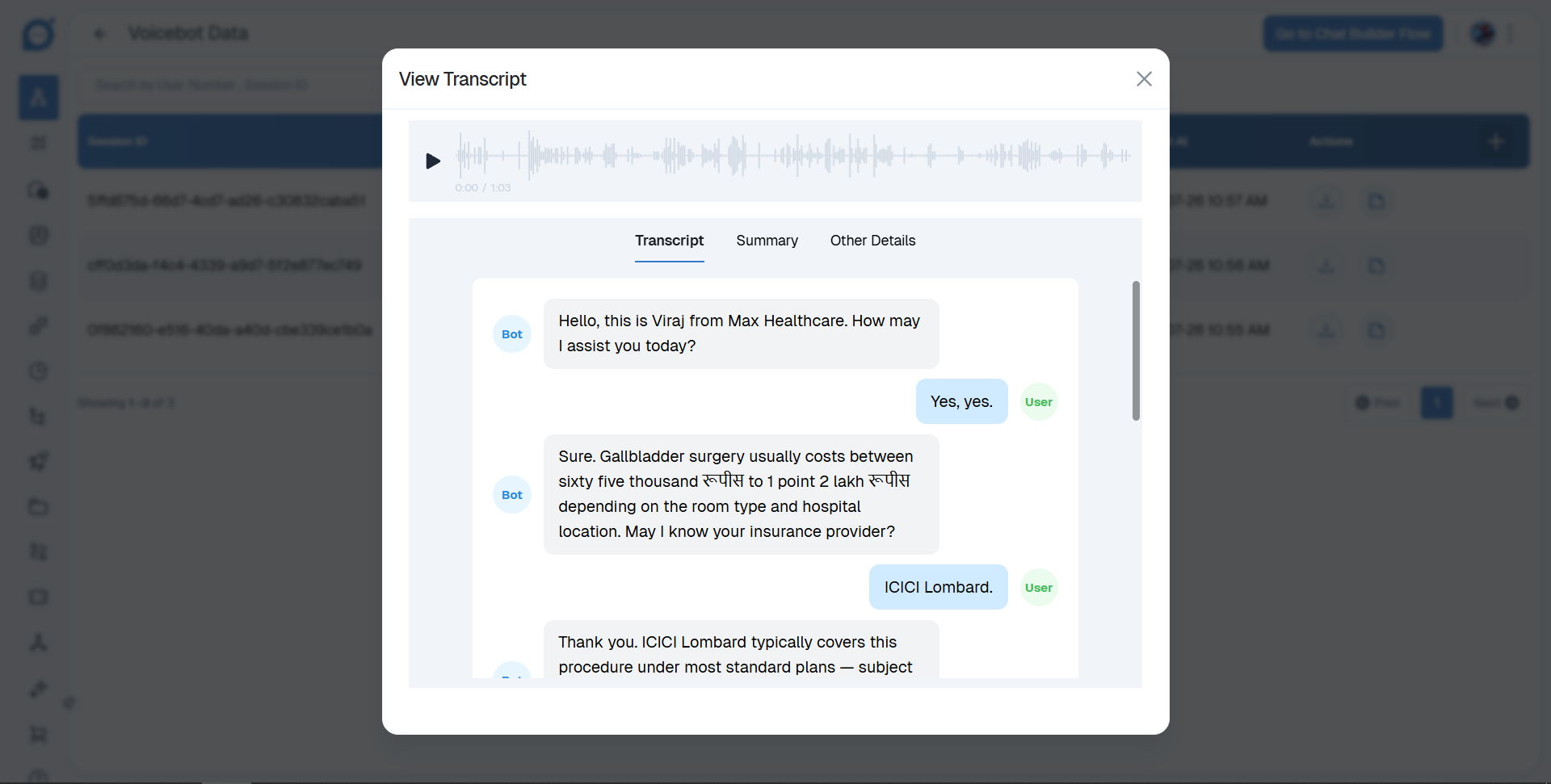
- Navigate to Bots and select Voice bots.
- Find the specific bot you want to review and click on view details.
- In the actions menu, select the view transcript option. This will display the complete transcript of the bot's conversations.
You can access the full conversation history for any of your voice bots by following these steps:
-
2. Viewing Session Variables
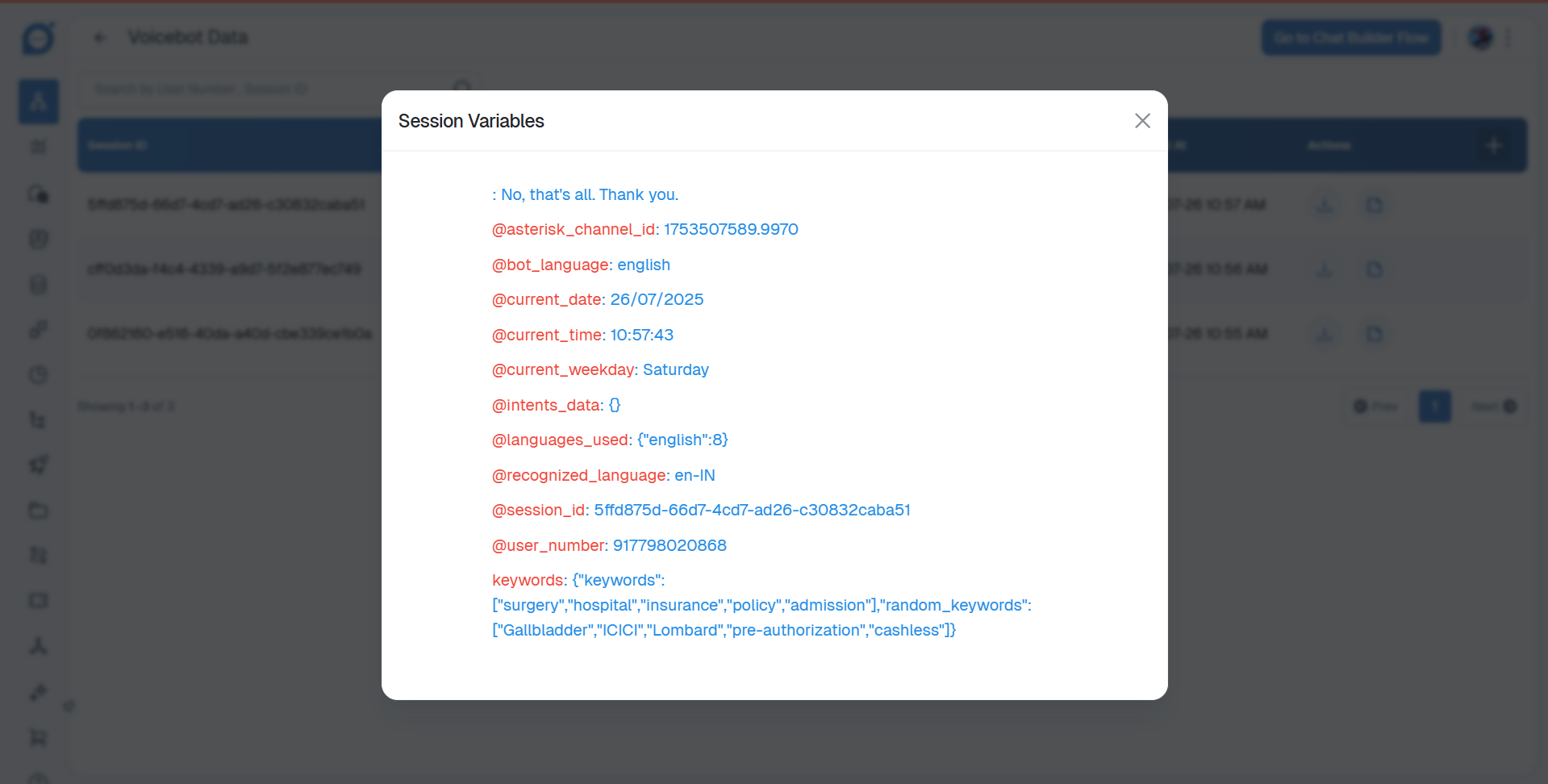
- Session variables, which store data collected during a specific call session, can be viewed for each bot interaction.
- Navigate to Bots and select Voice bots.
- Locate the desired bot and click on view details.
- In the actions menu, click on Variables to see all the session variables captured by the voice bot.
Thank you for your feedback!
We appreciate your feedback!