Voice Bot Components
The Chat360 Voice BOT offers a set of core components that you drag into the builder to capture user inputs, drive logic, and orchestrate seamless conversational flows. Below is an overview of each component and its purpose:
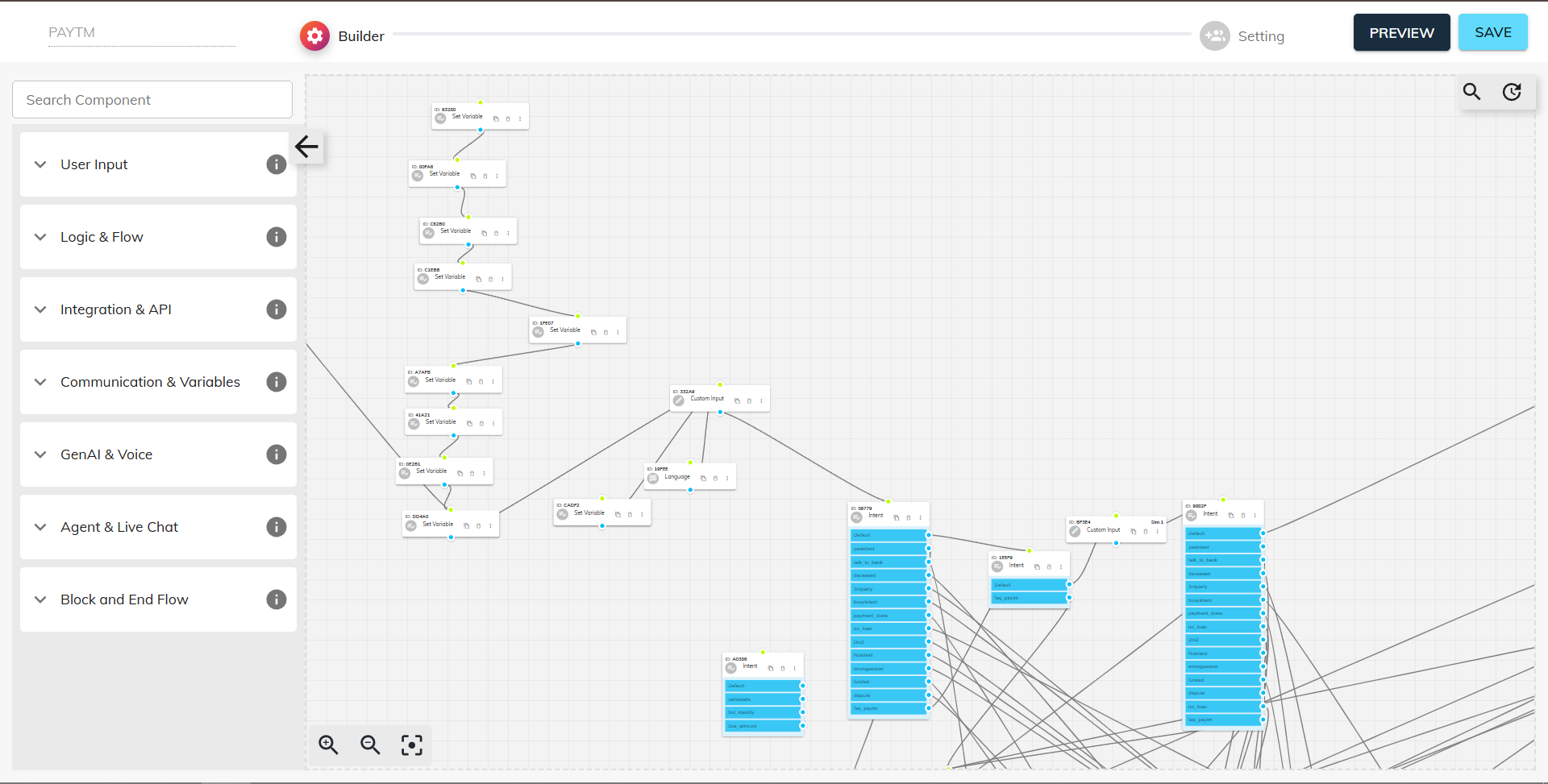
-
1. Start
- Purpose: Every Voice BOT flow must begin with a Start component.
- Default Invocation: Acts as the entry point, allowing the system to recognize when and where to initiate the call flow.
- Configuration: Automatically added to every new bot—no reordering or deletion required.
- Purpose: Capture and extract the user’s name in a structured format.
- Prompting: When placed in the flow, the BOT asks for “First Name” or “Full Name.”
- Extraction: Records the full spoken response, then intelligently parses out the name field.
- Data Handling: Ensures accurate user identification and stores the name for personalized follow-ups or database records.
- Purpose: Record and validate a phone number provided by the user.
- Prompting: The BOT asks the user to speak or enter their phone number.
- Validation & Parsing: Automatically detects the digits within the response, strips out any extraneous words, and stores only the valid number.
- Use Cases: Enables secure verification steps (e.g., OTP delivery) and keeps contact data consistent for callbacks or SMS follow-ups.
- Purpose: Branch the conversation based on user input or variable values.
- Logic Rules: Supports IF–ELSE conditions and AND/OR operators.
- Dynamic Routing: Redirects callers down different paths—e.g., if account balance > ₹10,000, proceed to “Premium Offers”; else, route to “Standard Menu.”
- Customization: Tailor the BOT’s behavior to specific business requirements, such as eligibility checks, error recovery flows, or promotional upsells.
- Based on the images provided, here are the Voice BOT components from Chat360 software:
- Purpose: Assign specific tasks to the BOT by defining a prompt for dynamic, tailored responses.
- Task Assignment: Allows you to configure the BOT to capture user details or generate customized responses based on user input during the call.
- Dynamic Response Generation: Enables the BOT to provide personalized interactions that adapt to the user's specific needs and context.
- Prompt-Based Configuration: Uses defined prompts to guide the AI in delivering appropriate responses throughout the conversation flow.
- Purpose: Deliver audio messages to users without capturing any input from them.
- One-Way Communication: Functions solely for information delivery, ensuring streamlined communication during the bot interaction.
- Audio Playback: Plays pre-recorded or generated audio messages to provide information to the end user.
- Information Delivery: Designed specifically for delivering announcements, instructions, or updates without requiring user response.
- Purpose: Enable users to select from multiple predefined flow options based on their response.
- Flow Branching: Allows the system to route users to different conversation paths based on their chosen option.
- Question-Response Mapping: Uses the question asked and the response received to determine the appropriate flow direction.
- User Navigation: Provides structured decision points that guide users through different conversation branches
- Purpose: Capture any user-defined response and store it for specific use cases.
- Flexible Input Capture: Allows users to provide any type of response that the system needs to record.
- Custom Response Handling: Captures and stores the specific utterance provided by the customer.
- Versatile Data Collection: Suitable for collecting various types of user input that don't fit standard categories.
- Purpose: Capture specific customer inputs in a customized way through prompt-based configuration.
- Prompt Format Definition: Allows creation of intents by defining them in a specific prompt format within the "AI Hub."
- Intelligent Interpretation: The system interprets the prompt and accurately captures the required details from user responses.
- Customized Data Extraction: Enables precise capture of user information based on predefined instructions and requirements.
- Purpose: Help the BOT capture and process data to move forward in the conversation flow.
- Data Processing: Enables the BOT to extract and analyze relevant information from user inputs.
- Flow Progression: Ensures smooth continuation of the conversation based on captured data.
- Information Management: Processes user data according to the designed flow requirements.
- Purpose: Integrate APIs into the BOT for data exchange with external systems like CRMs.
- API Integration: Enables seamless connection with external systems and databases.
- Configuration Options: Allows editing of API URL, timeout, request type (GET/POST/PUT/DELETE), request body, response capture, headers, and status code.
- Automated Execution: When triggered in the bot flow, the specified API executes automatically for real-time data exchange.
- Purpose: Enables seamless connection with external systems and databases.
- API Integration: Enables seamless connection with external systems and databases.
- Configuration Options: Allows editing of API URL, timeout, request type (GET/POST/PUT/DELETE), request body, response capture, headers, and status code.
- Automated Execution: When triggered in the bot flow, the specified API executes automatically for testing different conversation variations.
- Purpose: Update captured data and BOT call details to a Google Sheet for record-keeping.
- Data Synchronization: Enables automatic updating of call information to configured Google Sheets.
- Custom Configuration: Allows admins to configure their own Google Sheet and capture details as per their requirements.
- Real-Time Updates: Provides seamless integration for maintaining up-to-date records of bot interactions.
- Purpose: Allow users to select their preferred language for the BOT flow execution.
- Language Selection: Enables the admin to ask for the user's preferred language before starting the conversation flow.
- Multi-Language Support: Executes the flow in the language selected by the end user.
- Language Restrictions: Allows admins to restrict which specific languages should be accepted for the bot interaction.
- Purpose: Pre-define variables in the flow that can be used throughout the conversation.
- Variable Definition: Allows admins to define variables and their values that will be used in the flow.
- Flow Integration: Enables the same variable to be called wherever required throughout the conversation.
- Dynamic Configuration: Provides flexibility in managing data and responses across different parts of the bot flow.
- Purpose: Send approved Meta template messages to users' WhatsApp during voice BOT interactions.
- Dual Channel Integration: Provides seamless integration between voice and WhatsApp channels for enhanced customer engagement.
- Template Messaging: Triggers approved Meta template messages at any point during the Voice BOT interaction.
- Enhanced Engagement: Creates a more comprehensive customer experience by combining voice and text communication channels.
2. Name
3. Phone
By combining these components, you can build robust, interactive voice experiences—from simple data collection to complex decision trees—fully within the Chat360 Voice BOT builder.
Thank you for your feedback!
We appreciate your feedback!