E-Commerce
The E-Commerce module provides a centralized dashboard for managing and monitoring all e-commerce activities, including order processing and product catalog management. This module is designed to streamline order tracking, enable data-driven decisions through analytics, and facilitate integration with external platforms such as Shopify.
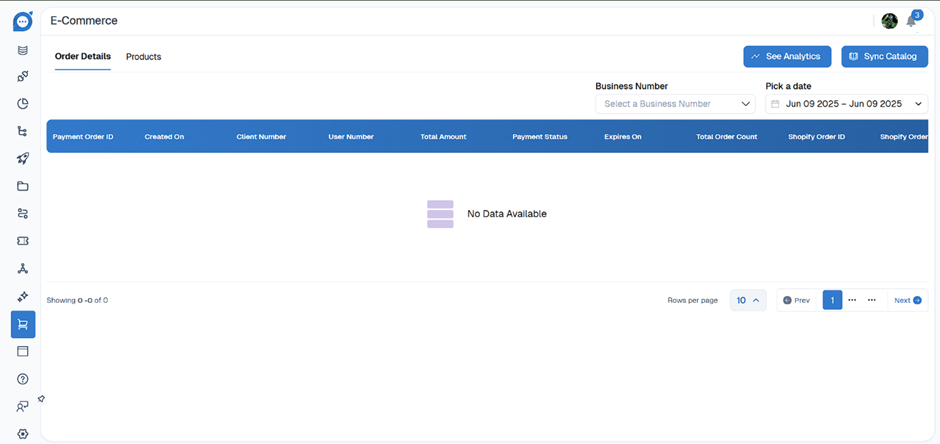
- Order Details: View and manage all order transactions.
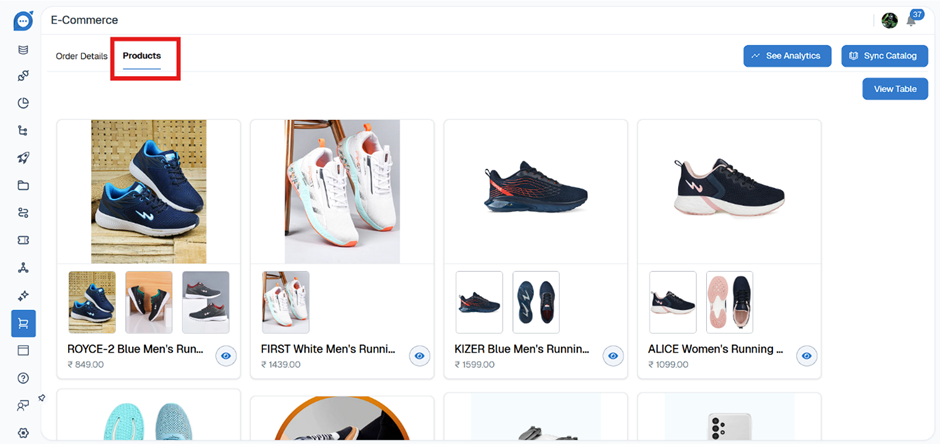
- Products: Manage the product catalog
-
Fields and Data Columns
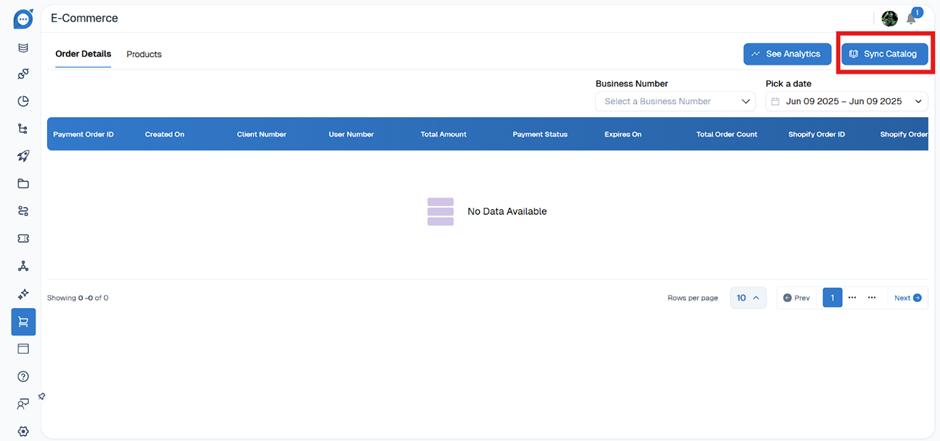
- Payment Order ID: Unique identifier for each payment/order transaction.
- Created On: Date and time when the order was created.
- Client Number: Unique identifier for the client/customer.
- User Number: Identifier for the user who placed the order.
- Total Amount: Total value of the order.
- Payment Status: Current status of the payment (e.g., Paid, Pending, Failed).
- Expires On: Expiry date/time for the order or payment.
- Total Order Count: Number of items/orders in the transaction.
- Shopify Order ID: Reference ID if the order is synced with Shopify.
- Shopify Order: Additional Shopify-specific details or status
-
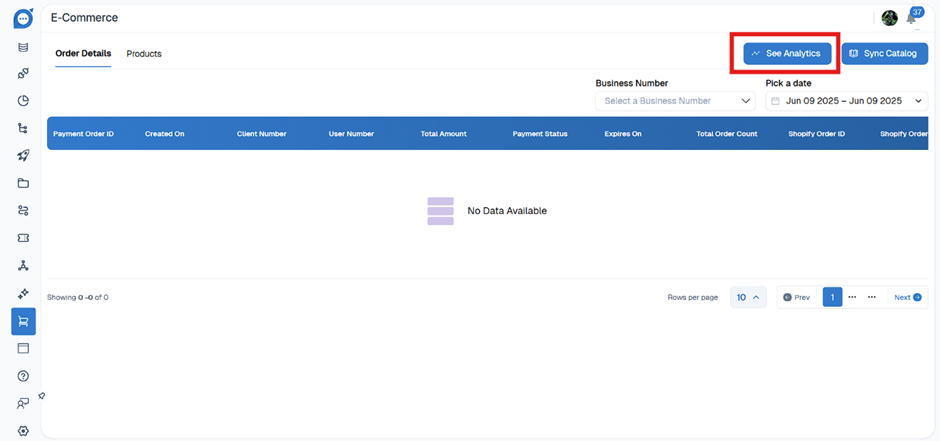
See Analytics
The "Order Details" tab displays the following columns in a table format:
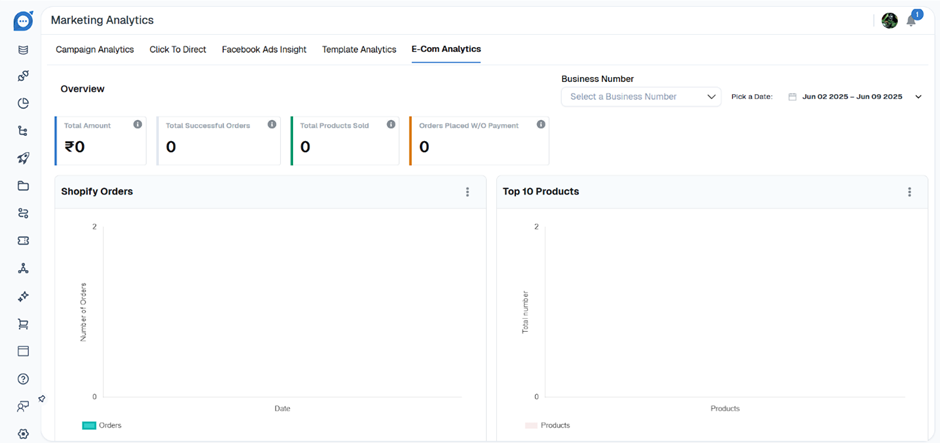
Select See Analytics to get access analytics related to the displayed order data.
-
Sync Catalog
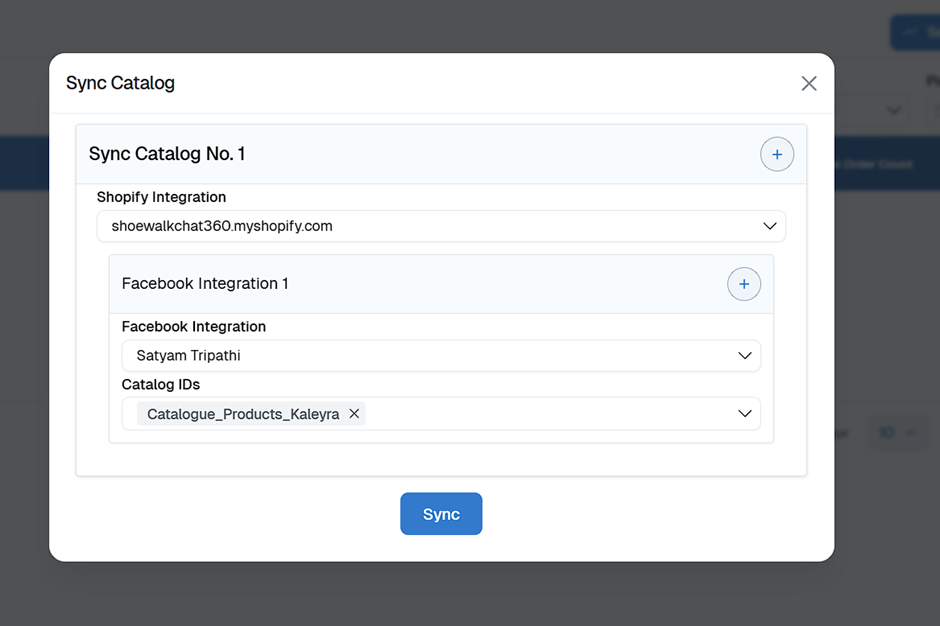
The "Sync Catalog" button in your E-Commerce dashboard is used to synchronize your product catalog between your e-commerce platform (like Shopify) and your current system. This ensures that all product information—such as names, prices, stock levels, images, and variants—is always up to date in both place.
- Fill in the required details and select Sync
-
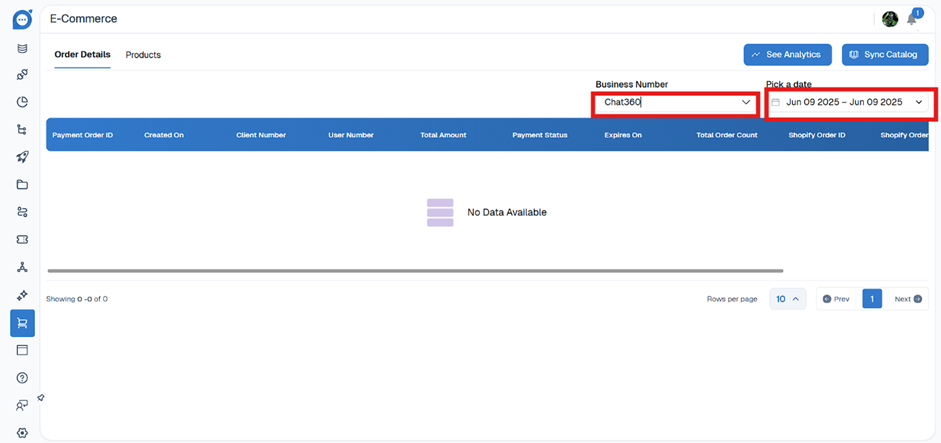
Filters and Controls
- Business Number Dropdown: Filter orders by selecting a specific business number.
- Date Picker: Filter orders within a selected date range.
-
Products
- For managing your product catalog, navigate to products