Assigning a Phone Number to a Voice Bot
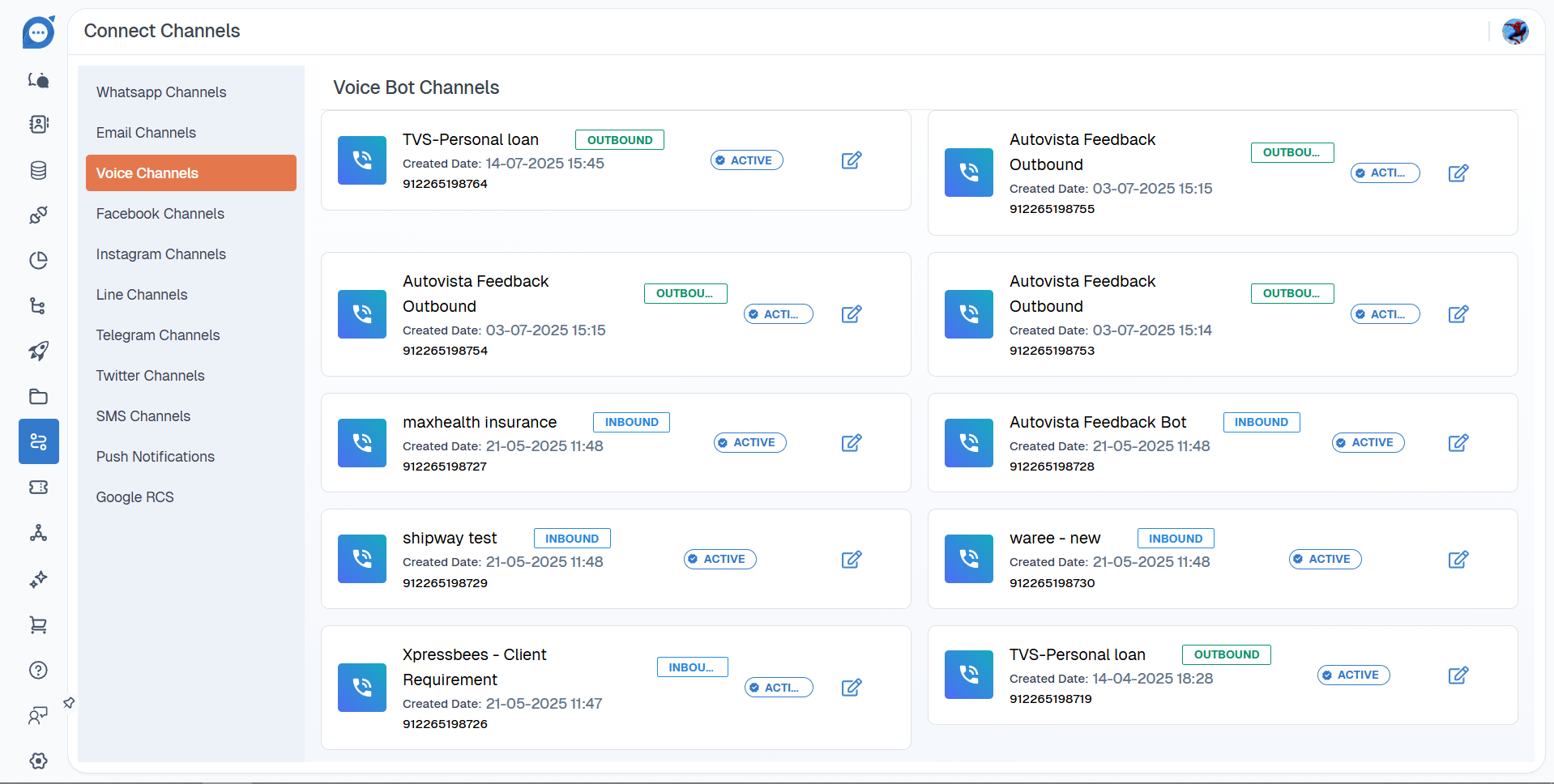
To connect your newly created voice bot to a phone line, you need to assign it an active number from your account. This process applies to both Inbound and Outbound voice bots.
- Navigate to the main Channels tab in the platform's interface.
- Within the Channels section, click on the Voice Channels tab.
- Here, you will find a list of all the phone numbers you have successfully onboarded to your account.
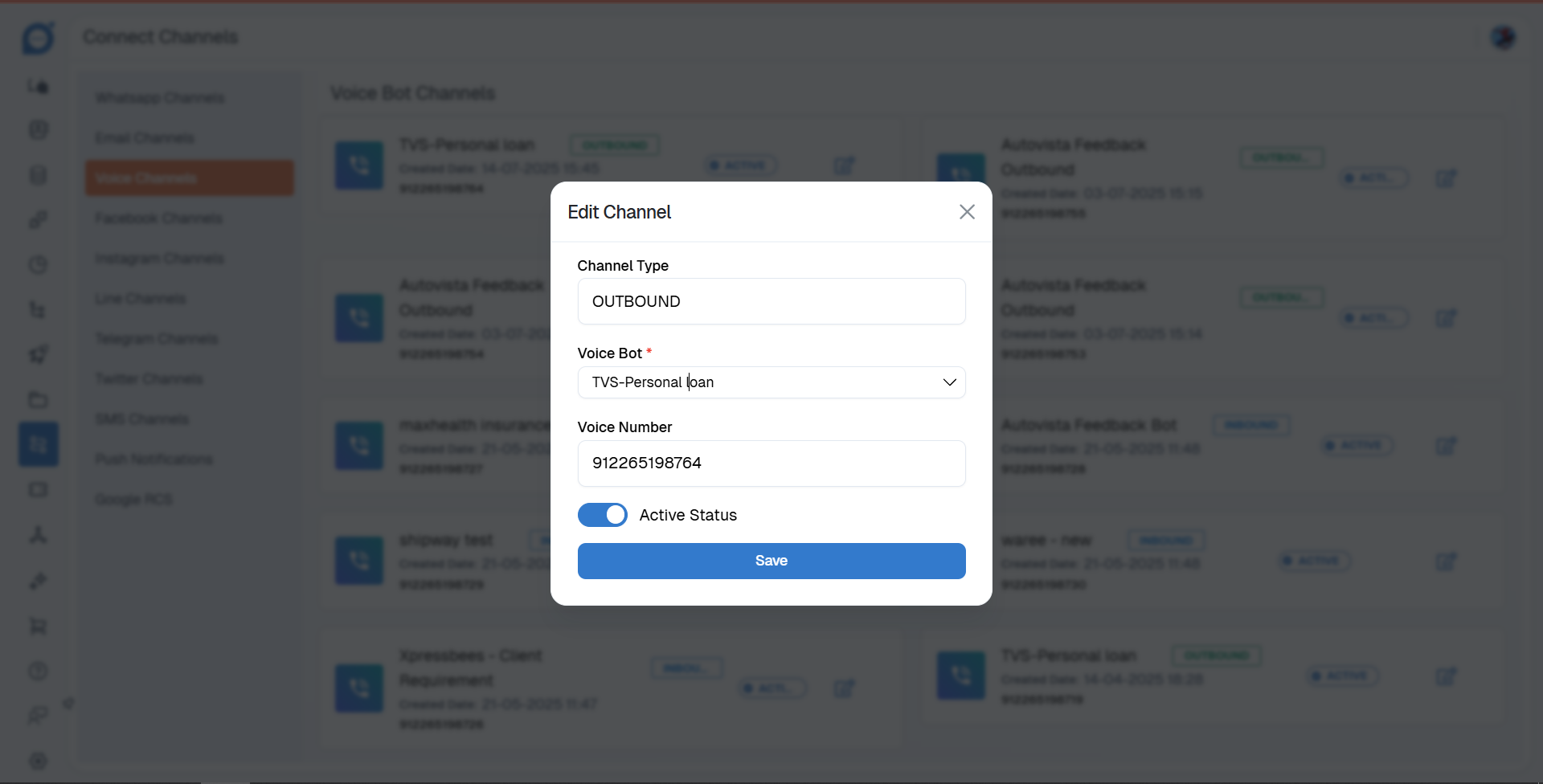
- From this list, you can select an available number and assign it to the new voice bot you have created.
- You have to set the active status of that particular number.
Thank you for your feedback!
We appreciate your feedback!