Social Monitoring- Facebook
-
Overview
Social Monitoring for Facebook enables brands to track and respond to user comments and private messages on their Facebook Business Pages directly within Chat360. By surfacing audience interactions in a unified dashboard, teams can engage promptly, manage sentiment, and glean campaign insights without toggling between platforms.
-
Setup & Configuration:
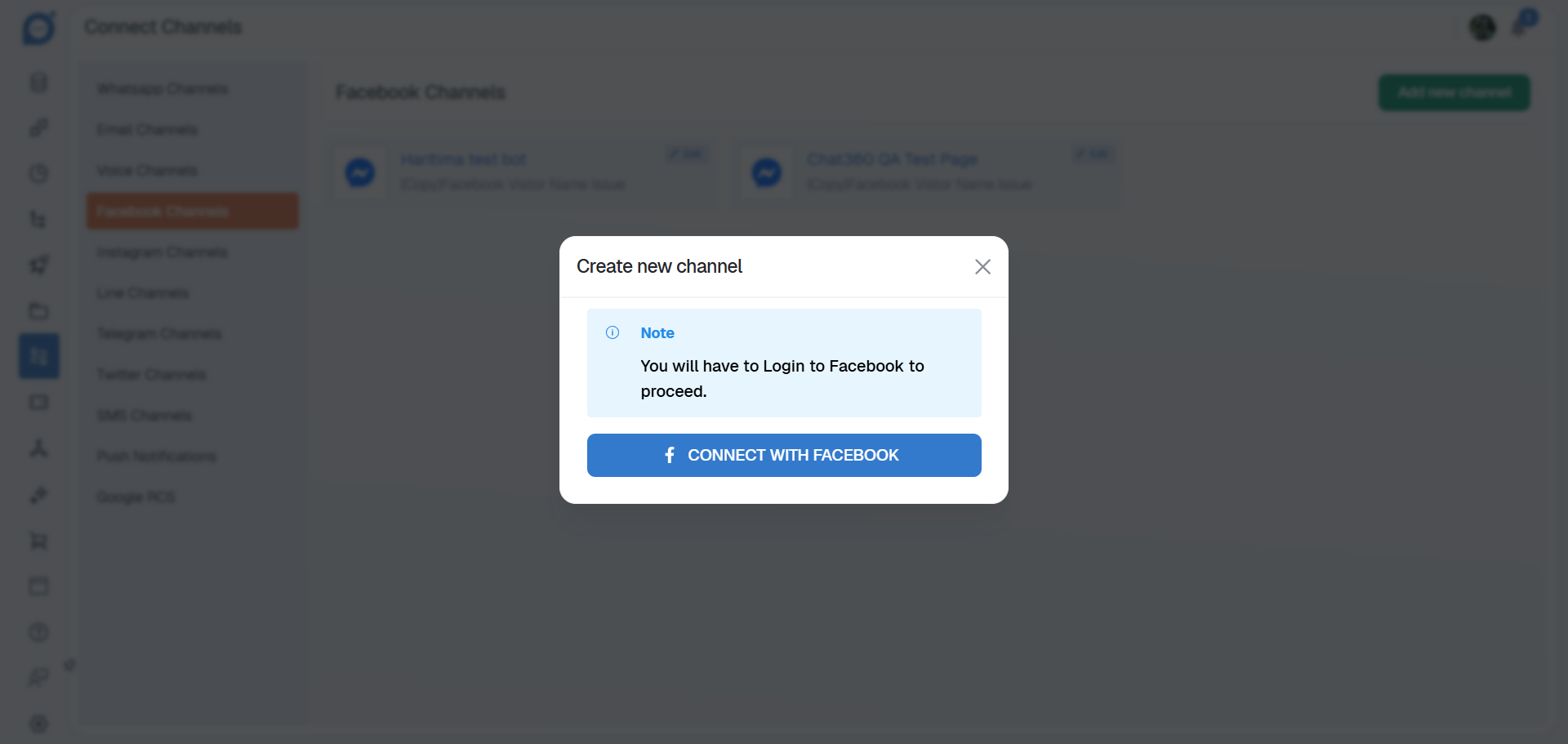
- Navigate to Channels → Facebook Channels and click Add New Channel.
- Authenticate your Facebook Business account and grant necessary permissions.
-
1. Connect Facebook Channel:

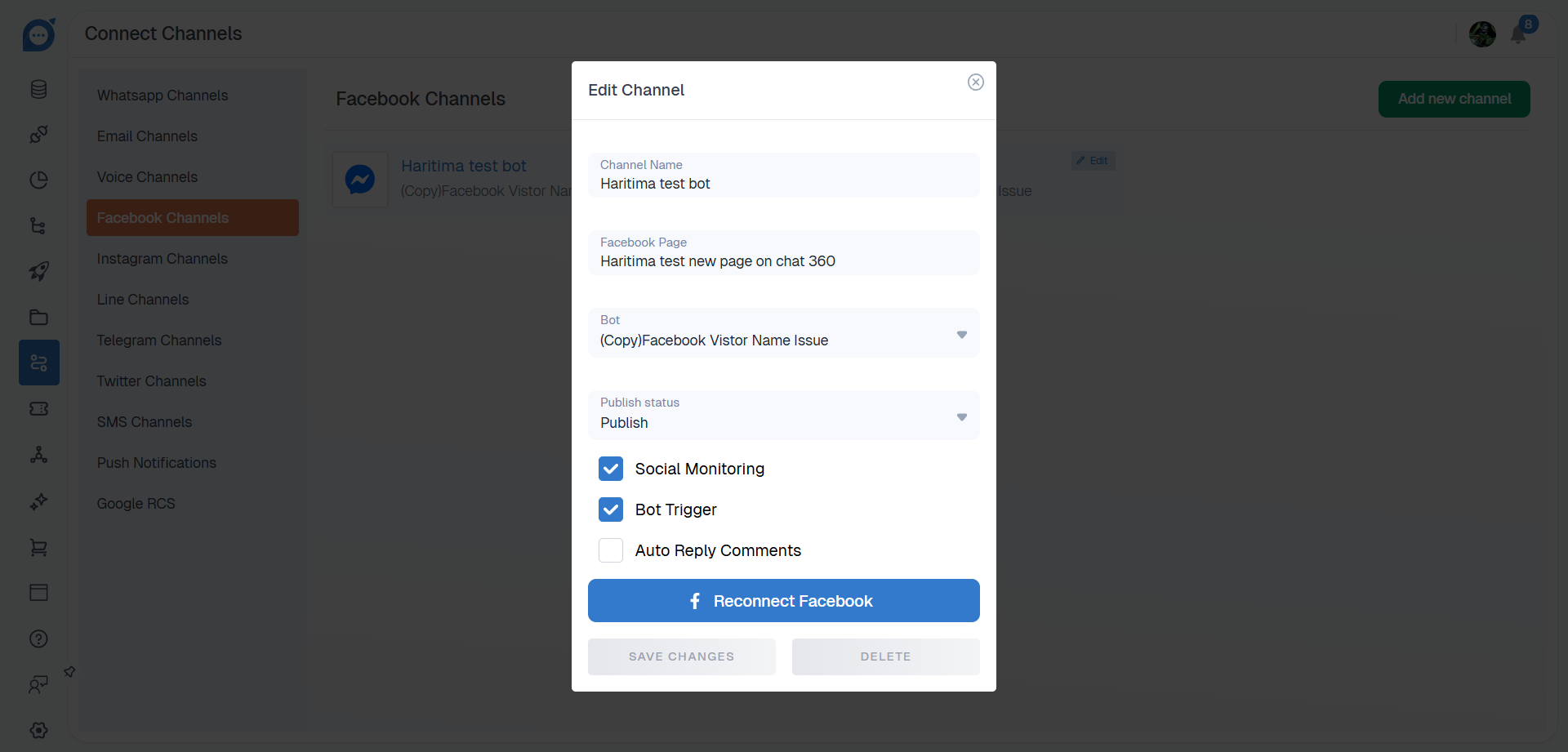
- Locate your newly connected Facebook profile and click Edit
- In the configuration modal, check Enable Social Monitoring for Comments & Replies and/or Private Messages.
- Click Save to activate monitoring.
-
2. Enable Social Monitoring:

-
Filtering & Drill-Down:
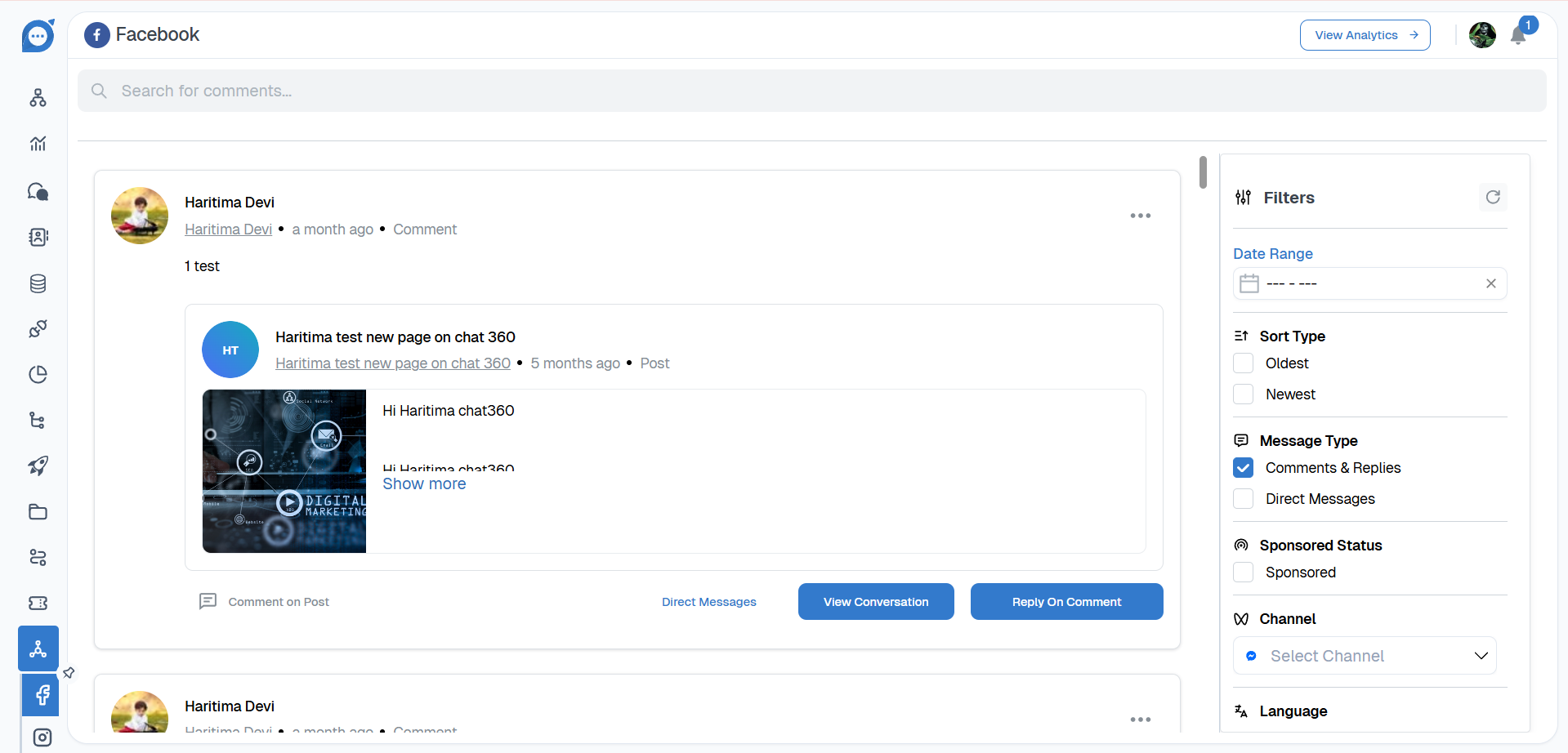
- Date Range: Select custom time periods.
- Sort Type: Order by Oldest or Newest.
- Message Type: Choose between Comments & Replies or Private Messages.
- Sponsored Status: Filter Sponsored vs. Organic posts.
- Channel: Monitor across multiple Facebook Pages.
- Language: Toggle bilingual support to capture non-English comments.
- Sentiment: Segment by Positive, Neutral, or Negative tones.
- Context Type: Isolate Text, Links, or Media.
- Post Filter: Select specific posts for focused engagement.
Once enabled, access Social Monitoring → Facebook to view all interactions. Use the following filters to pinpoint specific posts or messages:
-
Key Benefits:
- Real-Time Engagement: Respond immediately to customer comments and queries, boosting brand responsiveness.
- Sentiment Analysis: Automatically categorize feedback to prioritize critical responses and tailor messaging.
- Multilingual Coverage: Track comments in any language, ensuring global audiences are heard.
- Campaign Insights: Measure engagement on sponsored vs. organic content to optimize ad spend and creative direction.
- Centralized Dashboard: Eliminate platform switching by managing Facebook interactions alongside other channels in Chat360.
-
Use Cases:
- Customer Support: Identify and resolve complaints left on popular posts before they escalate.
- Community Management: Acknowledge positive praise and user-generated content to foster loyalty.
- Crisis Mitigation: Monitor sentiment spikes after product announcements to address concerns in real time.
- Ad Performance Evaluation: Compare comment volumes and sentiment on sponsored posts versus organic reach.
- Influencer Collaborations: Track engagement on influencer-tagged posts to assess partnership ROI.
Thank you for your feedback!
We appreciate your feedback!